


Hello everyone
GRUB is a widely used boot loader found in Linux distributions such as Ubuntu, Debian and Mint. Sometimes you need to reinstall GRUB, and the most common causes of GRUB failures are:
1)Partition table changes: A partition change usually happens when a partition is deleted. In such cases GRUB cannot locate the root partition, so it displays an error
2)Installing Windows: If Windows is installed after Linux, the GRUB loader gets erased from the Master Boot Record .So GRUB has to be installed again. To avoid this situation, install Windows first and Ubuntu next; GRUB will then detect the Windows boot loader and list it in the GRUB menu
Steps to install GRUB
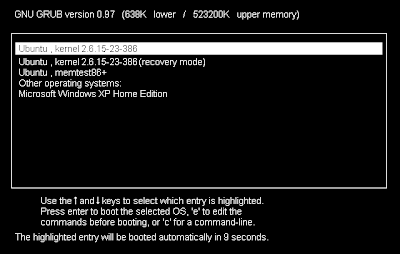
1)If GRUB shows an error or has been replaced by the Windows boot loader, follow these steps to recover GRUB
1)Insert the Ubuntu Live Disc and boot into the live desktop
Note: Use the same distribution disc that is already installed on the system
2)Mount the pre-installed Ubuntu partition by clicking on it. Clicking the partition mounts it in the /media folder. Note down the name of the mounted partition inside the media folder
2)Open a terminal from the Accessories menu
3)Run the following commands
sudo grub-install --root-directory="/media/<Ubuntu mount name>" /dev/sda
4)Restart the live disc and remove the CD from the drive.
5)When it boots up, the GRUB menu appears. Select Ubuntu from the list, and once you reach the desktop
open a terminal and type the following command
sudo update-grub
6)That's it
GRUB is a widely used boot loader found in Linux distributions such as Ubuntu, Debian and Mint. Sometimes you need to reinstall GRUB, and the most common causes of GRUB failures are:
1)Partition table changes: A partition change usually happens when a partition is deleted. In such cases GRUB cannot locate the root partition, so it displays an error
2)Installing Windows: If Windows is installed after Linux, the GRUB loader gets erased from the Master Boot Record .So GRUB has to be installed again. To avoid this situation, install Windows first and Ubuntu next; GRUB will then detect the Windows boot loader and list it in the GRUB menu
Steps to install GRUB
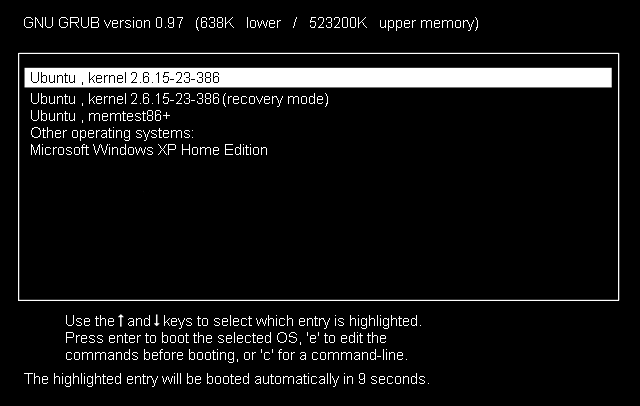
1)If GRUB shows an error or has been replaced by the Windows boot loader, follow these steps to recover GRUB
1)Insert the Ubuntu Live Disc and boot into the live desktop
Note: Use the same distribution disc that is already installed on the system
2)Mount the pre-installed Ubuntu partition by clicking on it. Clicking the partition mounts it in the /media folder. Note down the name of the mounted partition inside the media folder
2)Open a terminal from the Accessories menu
3)Run the following commands
sudo grub-install --root-directory="/media/<Ubuntu mount name>" /dev/sda
4)Restart the live disc and remove the CD from the drive.
5)When it boots up, the GRUB menu appears. Select Ubuntu from the list, and once you reach the desktop
open a terminal and type the following command
sudo update-grub
6)That's it




0 comments:
Post a Comment