TechnoLabsz: Explore Open Source Technology
TechnoLabsz is a hands-on technology journal covering OpenCV, robotics, programming, electronics projects, GNU/Linux, Arduino, computer tips, Python, hacking and mobile phones. Browse the topic labels below to jump straight into the tutorials and project write-ups you care about.
- OpenCV tutorials
- Robotics guides
- Programming articles
- Electronics projects
- GNU/Linux notes
- Arduino builds
- Computer tips
- Python scripts
- Hacking and security
- Mobile phone guides
Stay connected with the community:
Follow on Twitter Join us on Facebook HomePopular Posts


- Eye blink detection using OpenCV in Ubuntu
- How to convert RGB to HSV using OpenCV
- How to easily install OpenCV on Raspberry Pi
- mbed: an embedded board based on ARM
- Cubieboard: a threat to Raspberry Pi
- Published a book: Learning Robotics using Python
- Configuring XAMPP and setting up WordPress, Drupal, Joomla and sNews
- New ROS book for robotics projects: introduction to ROS and programming robots with ROS
- C++ tips: pointer to a function
Latest Tutorials and Project Notes
How to open and close a process from a Python script
This walkthrough shows how a Python script can launch an external process and then stop it again. Two scripts are used: a master script that starts a slave script, and the slave script that keeps running until the master terminates it after about five seconds.
Master script:
#!/usr/bin/python
import time
import subprocess

#starting process python while.py
proc = subprocess.Popen(["python","while.py"],shell=False)

#5 sec delay
time.sleep(5)

#killing process
subprocess.call(["kill","-9","%d" % proc.pid])

#waiting for killing
proc.wait()
print 'poll = ',proc.poll()
Slave script:
#!/usr/bin/python
while 1:
    print "hello"
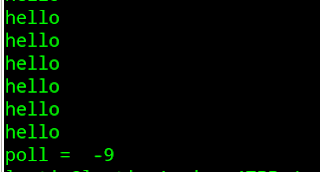
The output prints "hello" for up to five seconds, after which the process stops and the final message is shown.
Read the full post · View the screenshot · Leave a comment
Email This Edit Post Share by Email Share to Blog Share to X Share to Facebook Share to Buzz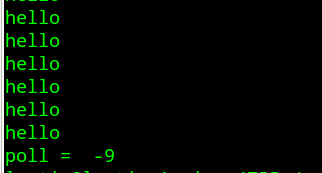
Controlling Android phones using Python and Linux
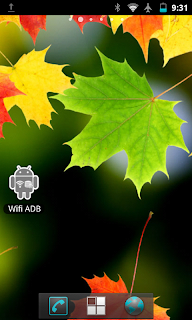
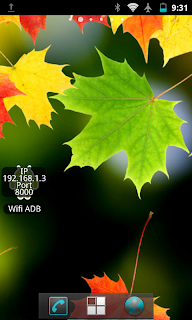
A short tutorial on controlling an Android phone from a PC over Wi-Fi using Python. On the phone you need the Wi-Fi ADB application, a tool for Android debugging over Wi-Fi, plus SL4A and Python for Android. On the PC, Ubuntu 12.04 is used. Start Wi-Fi ADB, then start a private server using SL4A.
Read the full post · Get Wi-Fi ADB · Wi-Fi ADB tutorial · SL4A downloads · Continue reading · Leave a comment
Email This Edit Post Share by Email Share to Blog Share to X Share to Facebook Share to BuzzNew Arduino Due
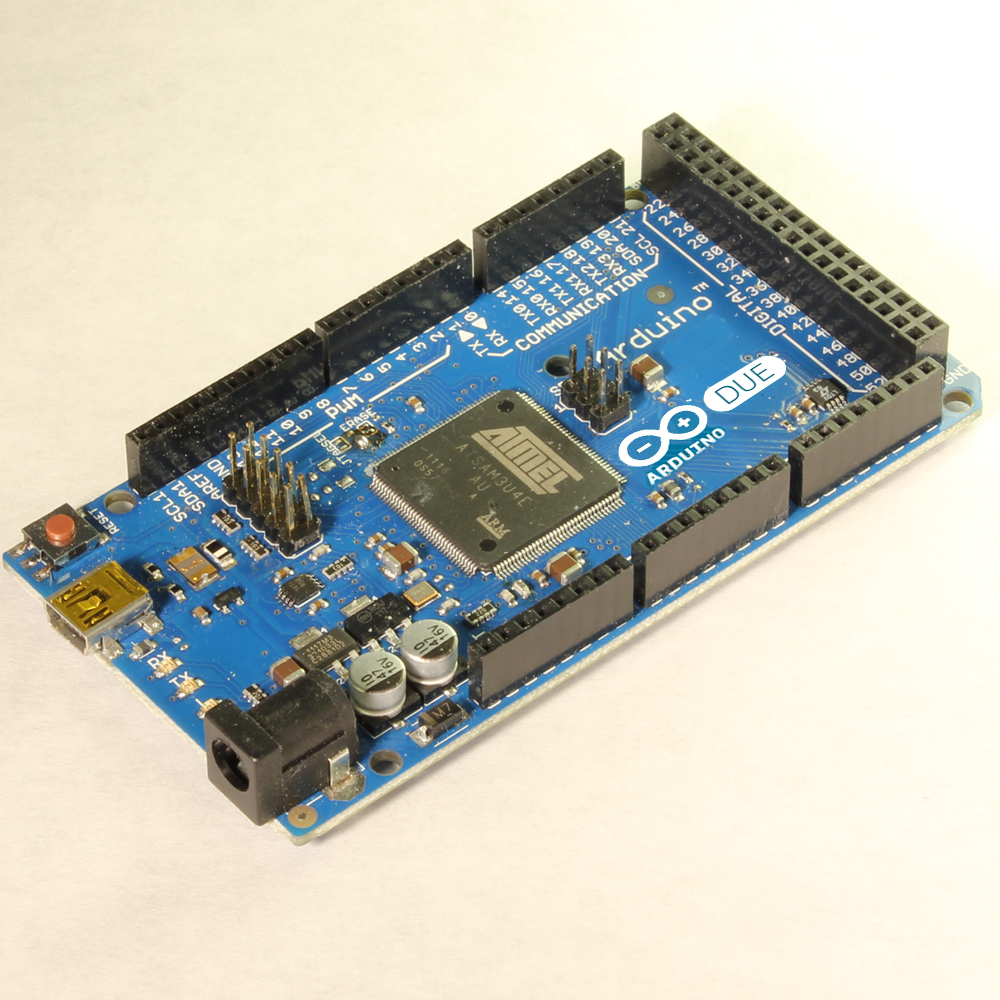
A newcomer has joined the Arduino board family: the Arduino Due, notable for using an ARM-based controller. Key specifications include the AT91SAM3X8E microcontroller, 3.3V operating voltage, recommended input voltage of 7-12V (limits 6-20V), 54 digital I/O pins (12 with PWM), 12 analog input pins, 2 analog output pins (DAC), 130 mA total DC output current on all I/O lines, 800 mA DC current for the 3.3V pin and 800 mA for the 5V pin, 512 KB flash memory, 96 KB SRAM (two banks of 64KB and 32KB) and an 84 MHz clock speed.
Read the full post · View the board image · Leave a comment
Email This Edit Post Share by Email Share to Blog Share to X Share to Facebook Share to BuzzSpeech recognition on Arduino
A library for running speech recognition on Arduino is available. Its features include letter-based recognition, a small memory footprint, Arduino compatibility, no training required, fixed-point arithmetic, roughly 30%-40% accuracy when based on phonemes and up to 80% when based on words, and it plugs directly into an analogRead() port.
Read the full post · uSpeech project page · Code on GitHub · Leave a comment
Email ThisWorking with the LinkSprite UART-WiFi module
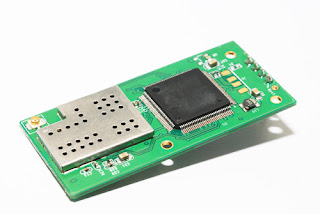
An UART-WiFi module purchased from rhydolabsz, tested with the supplied PC tool.
Arduino PID library
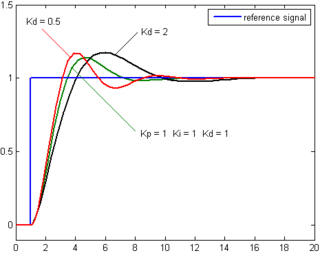
A PID library implemented for Arduino is available for reference.
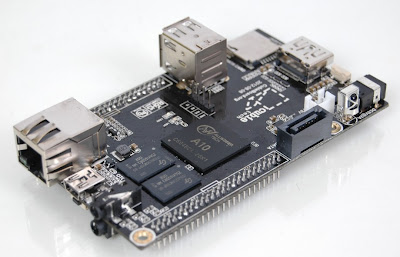
Cubieboard: a threat to Raspberry Pi
A new embedded board that could compete with the well-known Raspberry Pi: the Cubieboard.
ROS and Kinect
A video demonstrating how to interface Kinect with ROS.
How to hack your friends' password in Ubuntu/Linux
An interesting keylogger running on Linux called Linux Keylogger (lkl), which captures all key events and logs them to a file. Installation: extract the zip file, open a terminal in that location, then run ./configure, make and sudo make install.

Turtlebot simulation using ROS and Gazebo
Instructions for simulating and controlling Turtlebot with ROS and Gazebo: install the ROS and Gazebo packages for Turtlebot from the Synaptic package manager.
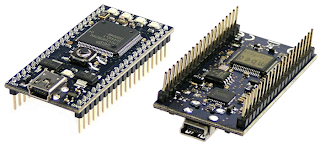
mbed: an embedded board based on ARM
The mbed Microcontroller is an ARM processor with a comprehensive set of peripherals and a USB programming and communication interface, provided in a small and practical DIP package. It is a rapid prototyping tool built on industry-standard technology.
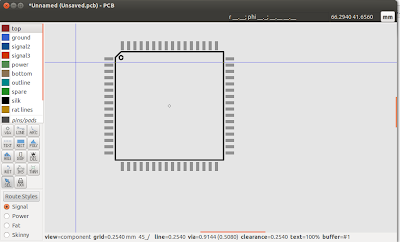
PCB: an open source circuit designer
PCB is free software for designing printed circuit board layouts, with many features and professional-quality output. It runs on UNIX operating systems such as GNU/Linux, Mac OS-X or Cygwin under Windows. PCB was originally written by Thomas Nau of the University of Ulm, Germany, and is now maintained by Harry Eaton of the Johns Hopkins University Applied Physics Laboratory, Laurel, Maryland, USA.
Fritzing: an interactive circuit designer
Fritzing is an interactive circuit designer whose main attraction is that users can include Arduino and many other breakout boards in their designs, saving developer time and boosting productivity.
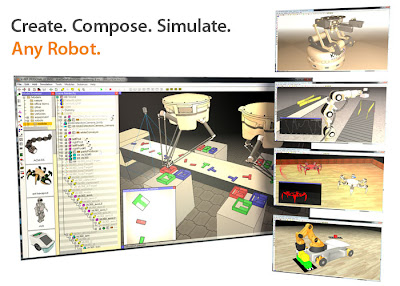
V-REP: an advanced robot simulator
V-REP is described as the Swiss army knife among robot simulators, with a wide range of functions, features and elaborate APIs. It has an integrated development environment and is based on a distributed control architecture: each object or model can be individually controlled via an embedded script, a plugin, a ROS node, a remote API client or a custom solution. This makes V-REP versatile and ideal for multi-robot applications. Controllers can be written in C/C++, Python, Java, Lua, Matlab or Urbi. V-REP is used for fast algorithm development, factory automation simulations, fast prototyping and verification, robotics education and remote monitoring.