Subscribe:

Ads 468x60px

Showing posts with label Robotics. Show all posts

Thursday, August 30, 2026

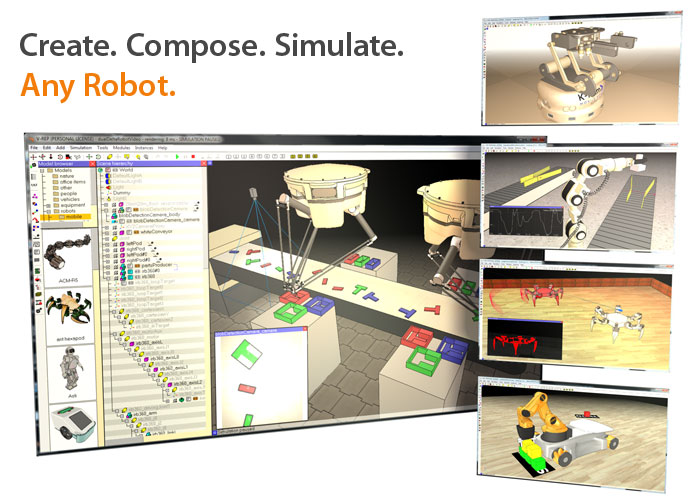
V-REP : An advanced robot simulator

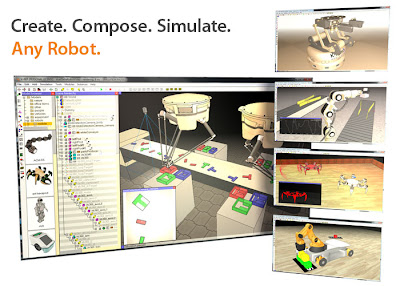
V-REP is the Swiss army knife among robot simulators: you won't find a simulator with more functions, features, or more elaborate APIs.

The robot simulator V-REP, with integrated development environment, is based on a distributed control architecture: each object/model can be individually controlled via an embedded script, a plugin, a ROS node, a remote API client, or a custom solution. This makes V-REP very versatile and ideal for multi-robot applications. Controllers can be written in C/C++, Python, Java, Lua, Matlab or Urbi.

V-REP is used for fast algorithm development, factory automation simulations, fast prototyping and verification, robotics related education, remote monitoring, safety double-checking, etc.

Saturday, July 14, 2026

Social Robot: My final year project(Opensource)

 Hi all

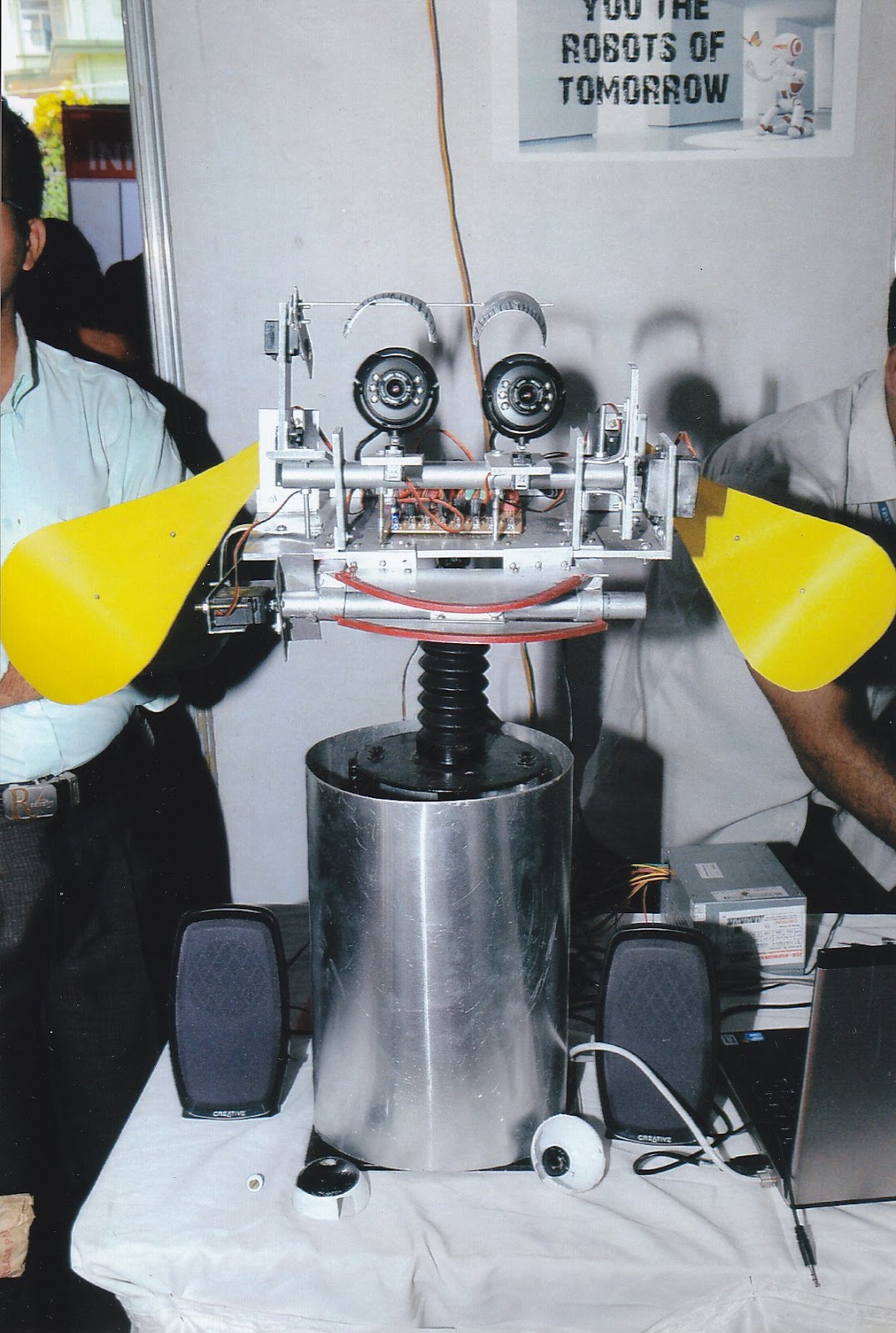
   I am publishing my final year B-tech project  called social robot as Opensource project.
It was an interesting robot which can communicate with people using speech recognition and synthesis  and has vision abilities. The main attraction of this project was the robot intelligence. It was done using Artificial Intelligence Markup Language(AIML).

The speech recognition and synthesis was done in WindowsXP using speech SDK from Windows.

Vision was done using Open Computer Vision library(OpenCV).The main features are

1)Faces,eye,nose detection
2)Motion detection
3)Face and motion tracking
4)Blob detection and color detection
5)Object detection

Speech system  and AIML work in the following fashion


Robot named Robin
-----------------------


Sunday, July 8, 2026

ROS Video Tutorials

Hi 

I like to share some video tutorials of  Robotic Operating System

How to install ROS
--------------------


ROS Nodes
--------------


ROS Module for speech recognition and localisation

Hark module
-----------------


Video from youtube
-------------------


Opensource 7DOF Robotic arm working in ROS

CLAM ARM


Clam arm link
-----------------


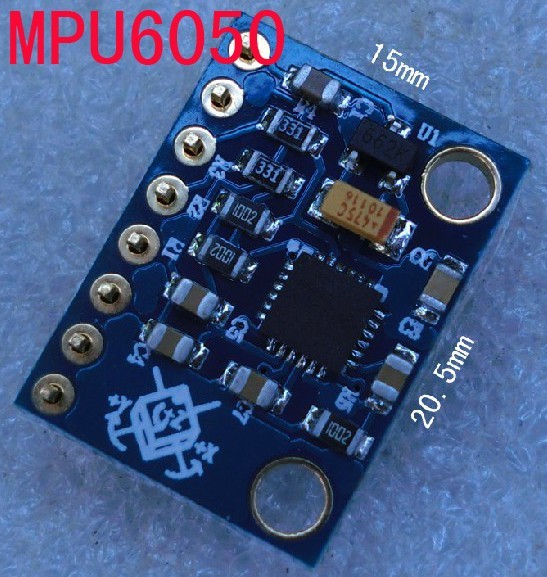
MPU 6050 Interfacing with Arduino

The InvenSense MPU-6050 sensor contains a MEMS accelerometer and a MEMS gyro in a single chip. It is very accurate, since it contains 16-bits analog to digital conversion hardware for each channel. Therefor it captures the x, y, and z channel at the same time.
The MPU-6050 is not expensive, since it combines both an accelerometer and a gyro.


Buy MPU 6050 
------------------
Purchase from ebay

Sparkfun
MPU 6050 with arduino
------------------------------
http://arduino.cc/playground/Main/MPU-6050

Video from youtube
---------


Wednesday, May 30, 2026

ROSCon 2012 Videos released

Hi all 

 This post will be a useful for Robotic-Operating-System  developers. I am sharing the videos of latest ROSCon 2012.It covers lot of topics.Watch it


                                                 Lightning talk at ROSCon 2012


                                             ROS and Kinect

ROS on Windows

Saturday, March 31, 2026

ROS on Android Phone

Finaly done with ROS(Robotic Operating System) on android 

It was my 1 day work for getting an output from android to ROS Server .I will explain the procedure that i have done


Prerequisites:

1)android-sdk for linux -Refer the following site for manually download android component .Othervice you have to setup eclipse for doing it


2)platform-tools-This is the most required thing in this installation operation


Wednesday, March 28, 2026

Face recognition using ROS Electric

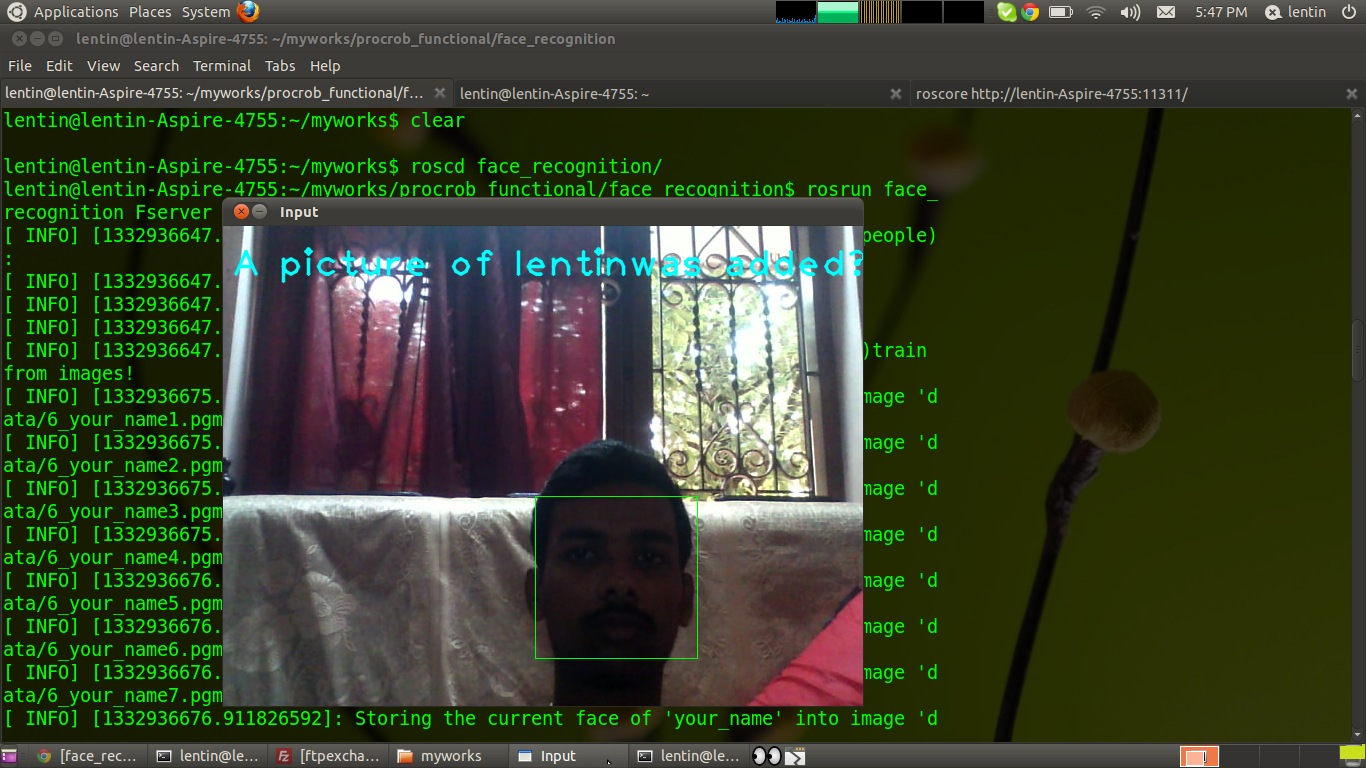
Recently i  tested a ROS  stack for  face_recognition .Here is the details

The link of the stack is given below

This stack is based on the following website ideas


The building procedures are given in the stack link

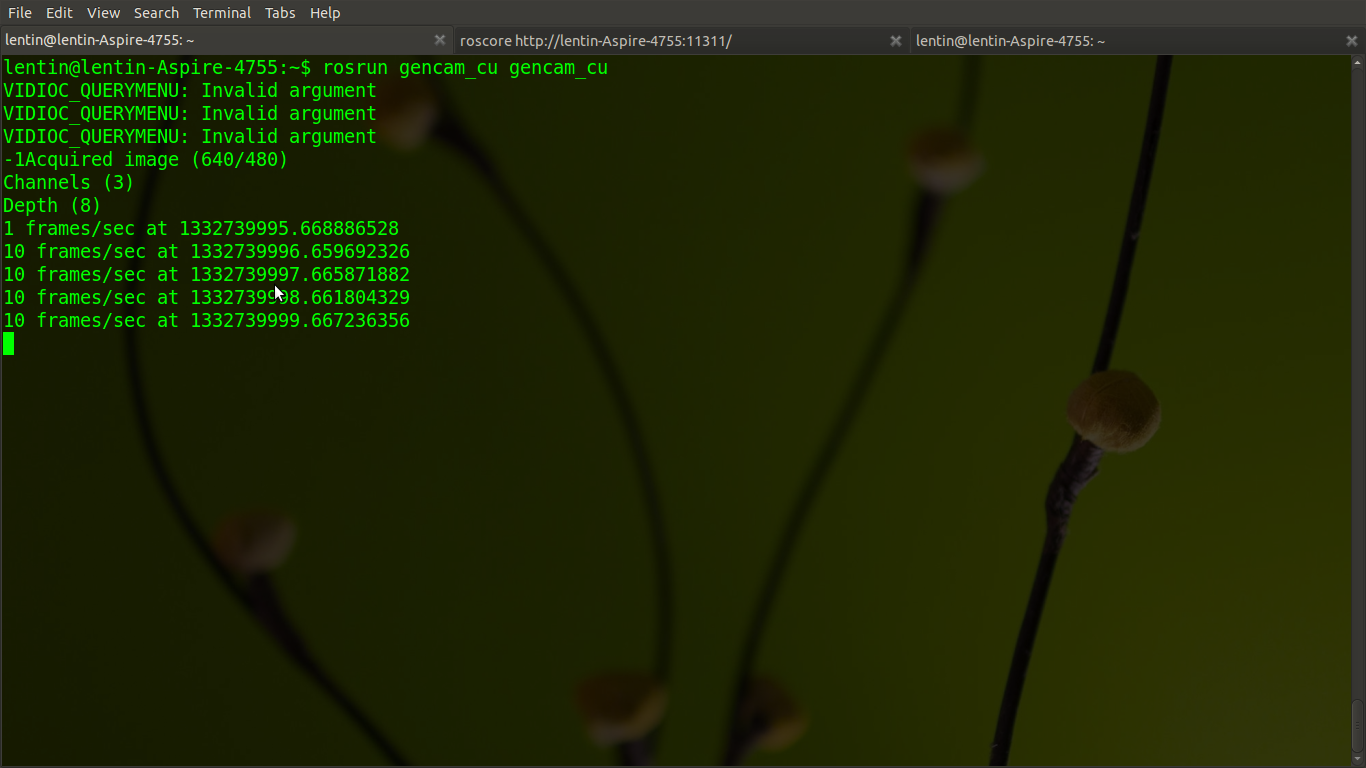
I used gencam_cu for camera driver instead of gscam

Procedure

1)Download the stack ,the stack name is procrob_functional

2)Add procrob_functional stack path to ROS_PACKAGE_PATH

3)Install stack  $rosmake --rosdep-install

4)Start gencam_cu by command  and set /camera/image_raw into /image_raw

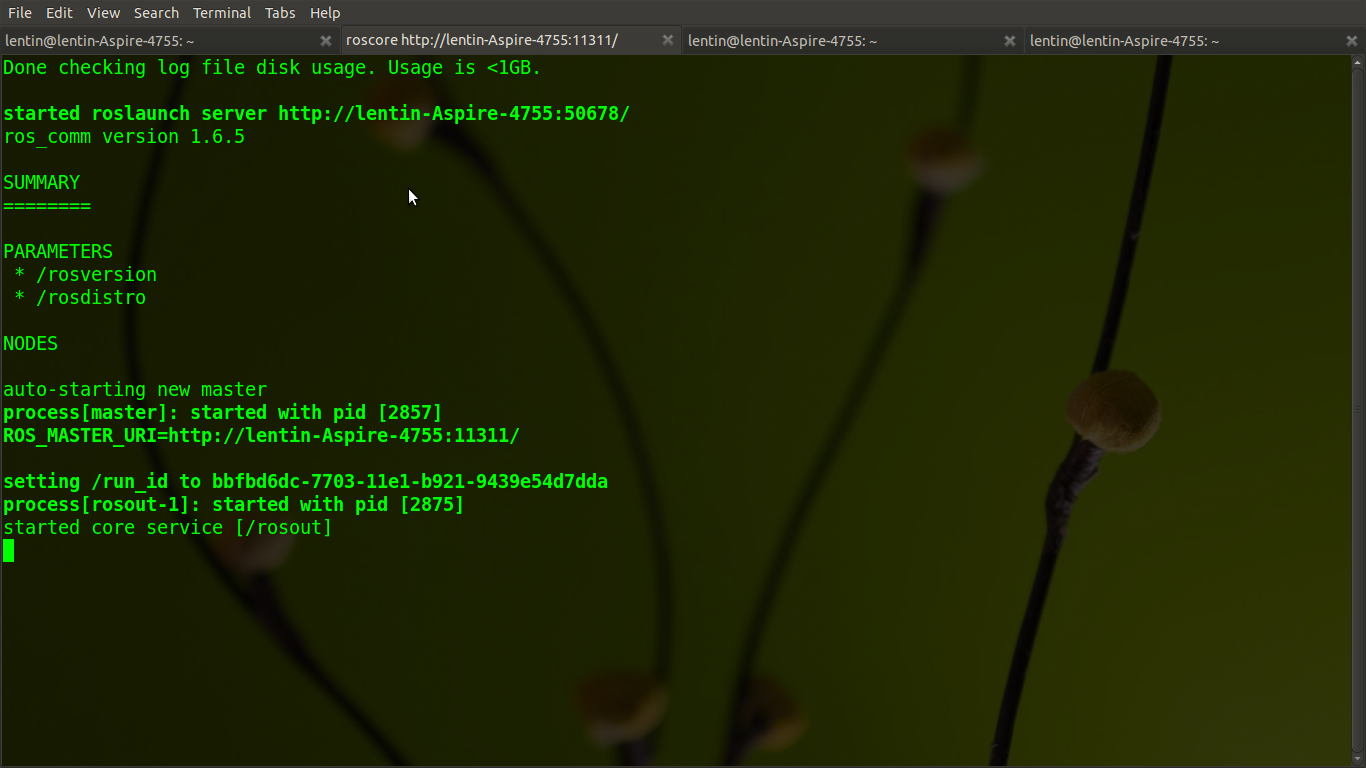
$roscore
$rosrun gencam_cu gencam_cu /image_raw:=/camera/image_raw

5)roscd face_recognition
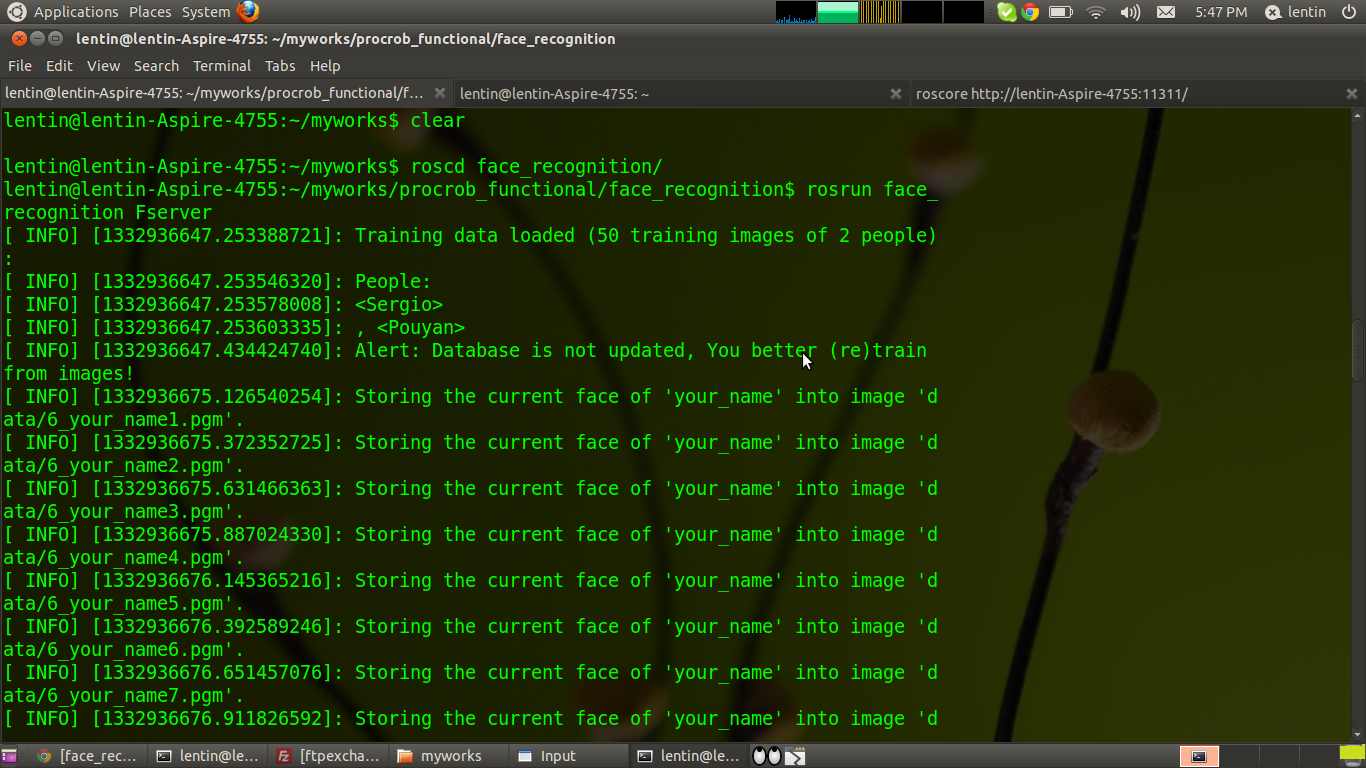
6)rosrun face_recognition Fserver
7)rosrun  face_recognition Fclient
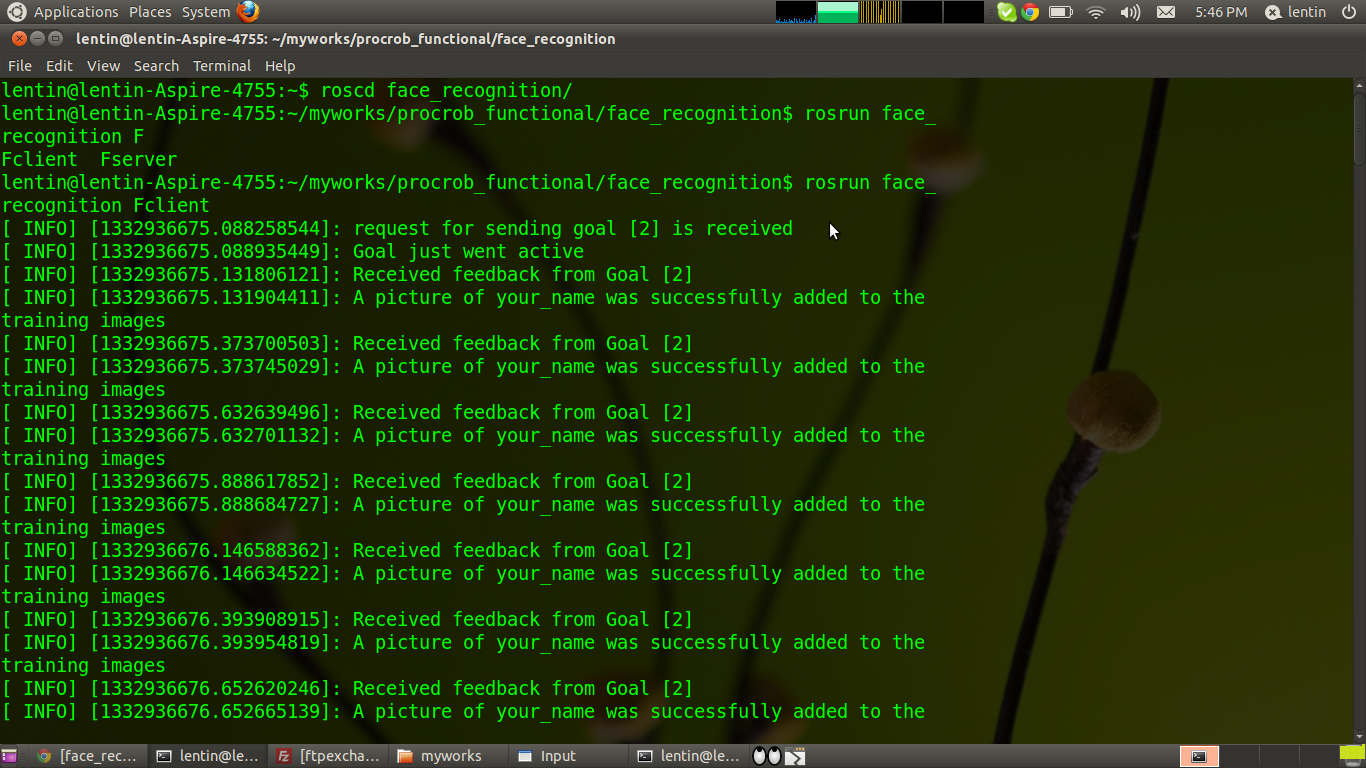
8)rostopic pub -1 /fr_order face_recognition/FRClientGoal -- 2 "yourname"  .This is for getting images for training

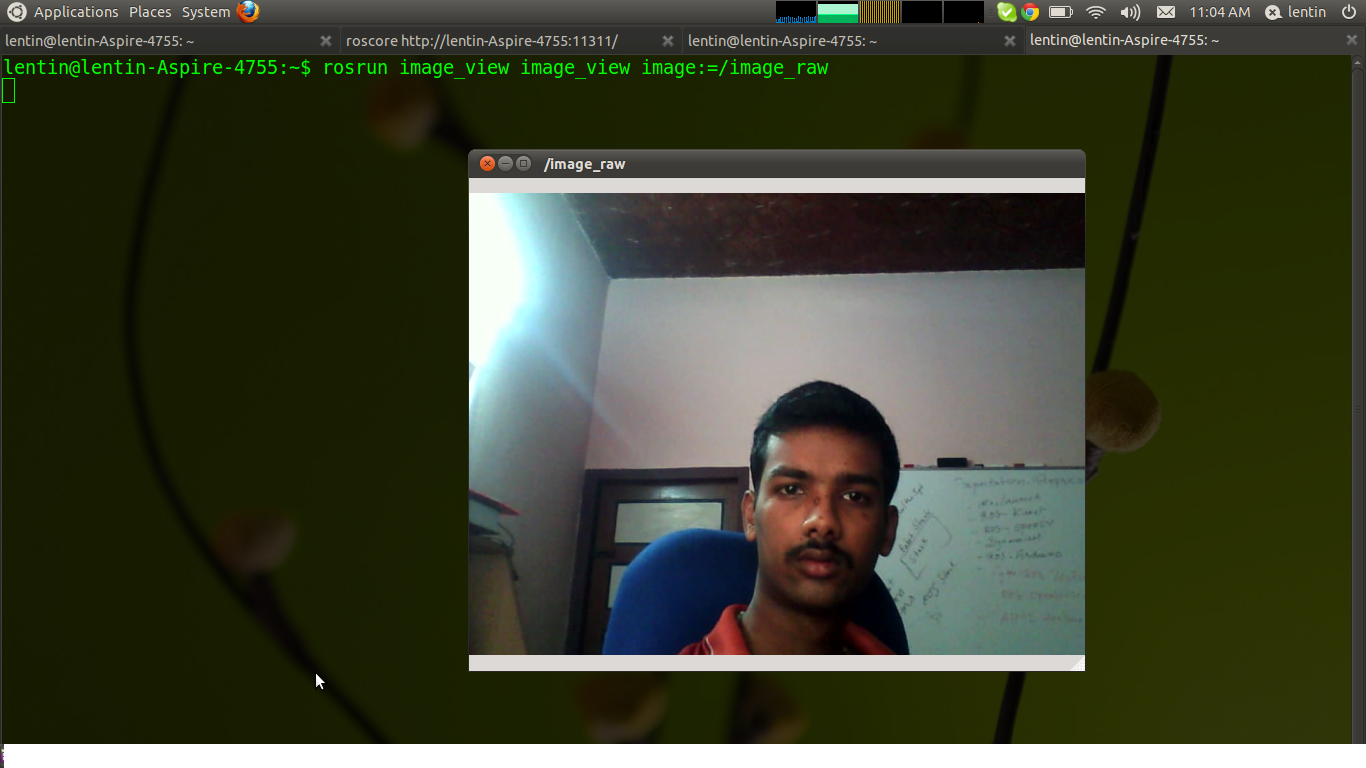
Following are the output we get after this commands


Monday, March 26, 2026

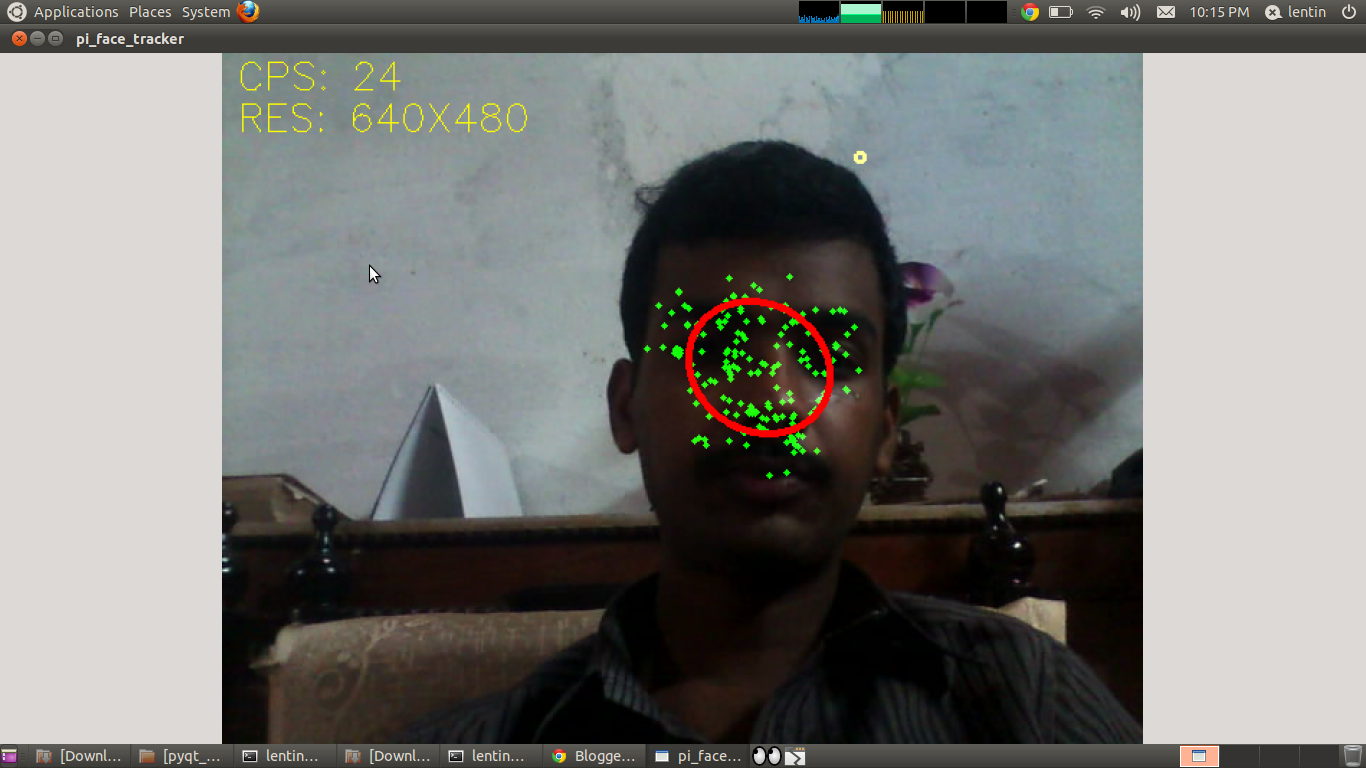
Face Tracking on ROS Electric using Pi_face_tracker and gencam_cu

Here is a tutorial for running face detection on ROS using pi_face tracker and gencam_cu

Pi_face tracker will work on Kinect and uvc_cam based webcams .Some webcams and laptop integrated cams have some issues while using uvc_cam .There is another package on ROS site called gencam_cu for webcams .Its working on OpenCV library .
Here is the link for gencam_cu


Pi_face tracker package is available in following link


First you need to download and install gencam_cu first .
Before installing pi_face_tracker we need to change some parameters in pi_face_tracker launch file .
The launch file is called face_tracker_uvc_cam.launch 

Replace the line  

    <remap from="input_rgb_image" to="/camera/image_raw" /> into 

    <remap from="input_rgb_image" to="/image_raw" /> 

It looks like this 

<launch>
  <arg name="auto_face_tracking" default="True" />

  <node pkg="pi_face_tracker" name="pi_face_tracker" type="face_tracker.py" out$
    <remap from="input_rgb_image" to="/image_raw" />
    <remap from="output_image" to="/pi_face_tracker/image" />

It is a patch ,because gencam_cu publishs images on /image_raw topic ,but uvc_cam publishes on /camera/image_raw

Install pi_face_tracker 

eg_cmd : rosmake --rosdep-install 

Run roscore

Run gencam_cu by following command

rosrun gencam_cu gencam_cu

Launch pi_face_tracker

roslaunch pi_face_tracker face_tracker_uvc_cam.launch

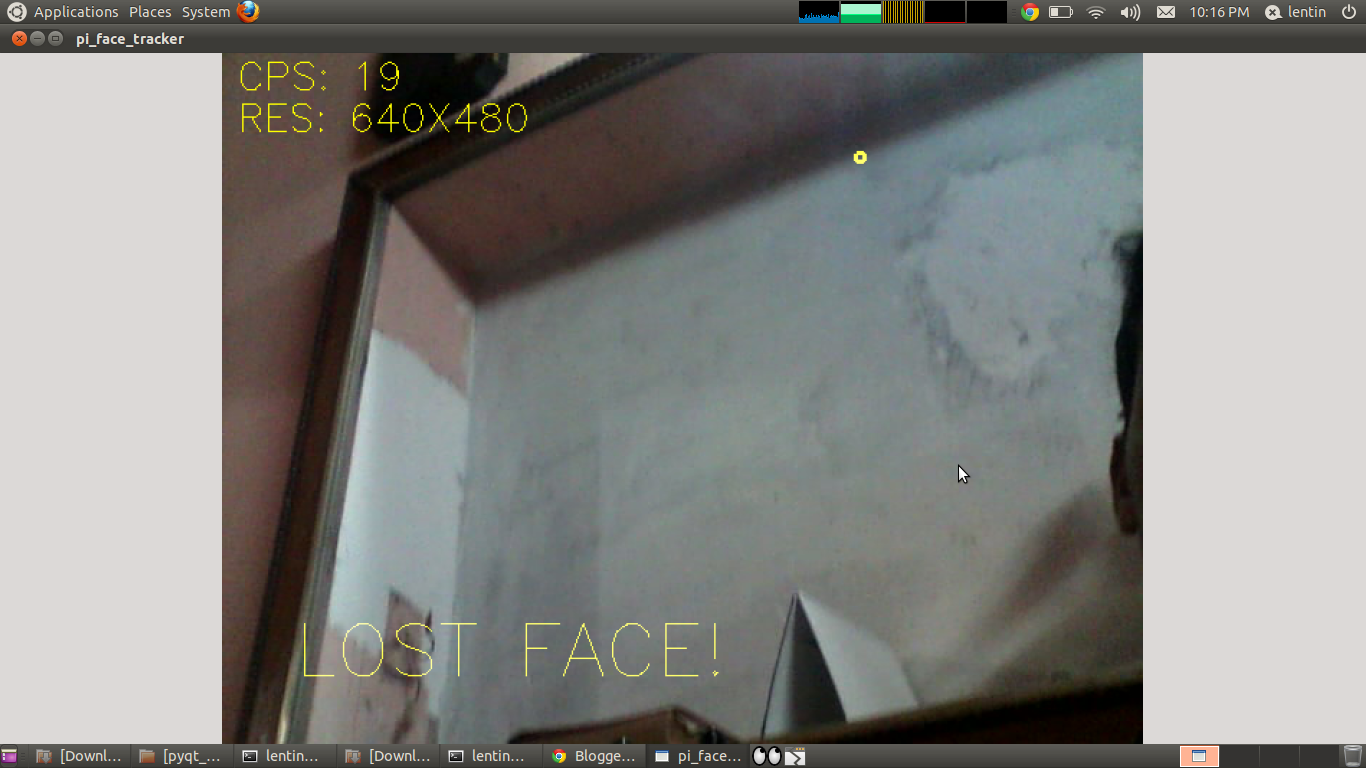
Output Image


Sunday, March 25, 2026

ROS Electric and Integrated Laptop Webcams

This post shows how to interface a usb web cam with Robotic Operating System(ROS)


There are lot of ways to interface usb webcam .I am using a laptop integrated webcam of Suyin Corp

I tried uvc_cam  ,usb_cam .These all are working but have some issues 

I got another package from ROS website that is working based on OpenCV

gencam_cu is the package name .I am giving the link 


It is working good for my integrated web cam

I am including some screenshots


 Thanks


Sunday, September 25, 2026

How to Install ROS in Ubuntu

Hi all

ROS-Electric Installation procedure


Ubuntu 10.04 (Lucid)

  sudo sh -c 'echo "deb http://packages.ros.org/ros/ubuntu lucid  main" > /etc/apt/sources.list.d/ros-latest.list'


Ubuntu 10.10 (Maverick)


sudo sh -c 'echo "deb http://packages.ros.org/ros/ubuntu maverick  > main" > /etc/apt/sources.list.d/ros-latest.list'


Ubuntu 11.04 (Natty)


sudo sh -c 'echo "deb http://packages.ros.org/ros/ubuntu natty  main" >  /etc/apt/sources.list.d/ros-latest.list'


Set up your keys


wget http://packages.ros.org/ros.key -O - | sudo apt-key add -

Installation

Make sure you have re-indexed the ROS.org server:

sudo apt-get update

There are many different libraries and tools in ROS. We provided four default configurations to get you started. You can also install ROS stacks individually.

Desktop-Full Install: (Recommended): ROS, rx, rviz, robot-generic libraries, 2D/3D simulators, navigation and 2D/3D perception

sudo apt-get install ros-electric-desktop-full

Desktop Install: ROS, rx, rviz, and robot-generic libraries

sudo apt-get install ros-electric-desktop

ROS-Base: (Bare Bones) ROS package, build, and communication libraries. No GUI tools.

sudo apt-get install ros-electric-ros-base

Individual Stack: You can also install a specific ROS stack (replace underscores with dashes of the stack name):

sudo apt-get install ros-electric-STACK

e.g.
sudo apt-get install ros-electric-slam-gmapping

Environment setup

It's convenient if the ROS environment variables are automatically added to your bash session every time a new shell is launched:

echo "source /opt/ros/electric/setup.bash" >> ~/.bashrc
. ~/.bashrc

If you have more  than one ROS distribution installed, ~/.bashrc must only source the setup.bash for the version you are currently using.

If you just want to change the environment of your current shell, you can type:

source /opt/ros/electric/setup.bash


Check this link for more info
http://www.ros.org/wiki/electric/Installation/Ubuntu


Wednesday, September 21, 2026

ROS and Urbi...

Hi all

      ROS and URBI are the two opensource platform Robotic libraries .
ROS =Robotic Operating System
URBI =Universal Real Time Interface


ROS


         ROS (Robot Operating System) provides libraries and tools to help software developers create robot applications. It provides hardware abstraction, device drivers, libraries, visualizers, message-passing, package management, and more.

Check this  link for more details


URBI


       Urbi is an open-source software platform to control robots or complex systems in general. It includes a C++ component library called UObject that comes with a robot standard API to describe motors, sensors and algorithms. Next to UObject, you can use the urbiscript orchestration script language to glue the components together and describe high level behaviors, a bit like python or LUA, but with embedded parallel and event-driven semantics to make the job easier.
The goal of Urbi is to help making robots compatible, and simplify the process of writing programs and behaviors for those robots. The range of potential applications of Urbi goes beyond robotics, since it has been successfully used in generic complex systems, where parallel and event-driven orchestration on multiple agents is the rule.
The latest versions of Urbi 2.x integrate support for Willow Garage's ROS. You can now use both systems together and benefit from the best of both worlds!
Urbi is open-source with an GNU AGPLv3 license. You can go to the Downloads section to get Urbi source code.
For more details check this link


Friday, August 19, 2026

DARwln OP : Open Platform Humanoid Robot for Research and Education

Hi all

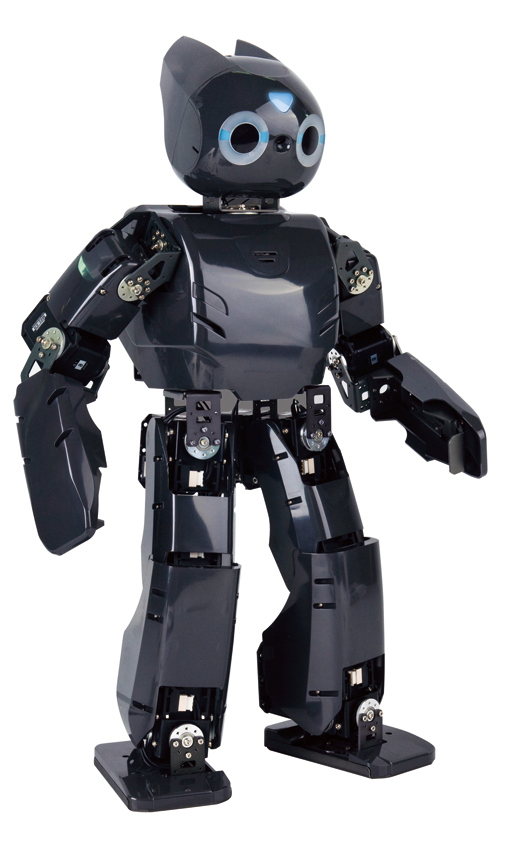
          I like to introduce a new humanoid robot called Darwin .The main feature of the Darwin project is ,the code and hardware is open source .I am sharing the description of Darwin op from there website


"DARwIn-OP (Dynamic Anthropomorphic Robot with Intelligence - Open Platform) is an affordable, miniature-humanoid-robot platform with advance computational power, sophisticated sensors, high payload capacity, and dynamic motion ability to enable many exciting research, education, and outreach activities. Sponsored by the National Science Foundation (NSF) in the United States, DARwIn-OP has been developed by RoMeLa at Virginia Tech with collaboration with University of Pennsylvania, Purdue University and Robotis Co., based on the award winning DARwIn series humanoid robots in development since 2004.


DARwIn-OP is a true open platform where users are encouraged to modify it in both hardware and software, and various software implementations are possible (C++, Python, LabVIEW, MATLAB, etc.) The open source hardware is not only user serviceable thanks to its modular design, but also can be fabricated by the user. Publically open CAD files for all of its parts, and instructions manuals for fabrication and assembly are available on-line for free.


A number of DARwIn-OP units will be fabricated and built by Robotis Co. for distribution to 11 partner universities (including major research universities, RUI institutions, a women's college, and two local high schools) and will utilize them in their classroom teaching and projects as well as outreach activities.


The objective of this annual workshop is to; introduce DARwIn-OP to the humanoid robotics community to broaden the DARwIn-OP project and form a user community; train the users for use in research, education, and outreach activities; disseminate results of the usage of DARwIn-OP in the classroom; and to obtain feedback from the users for future improvements".


You will get more information on DARwln from the following links


http://www.romela.org/main/DARwIn_OP:_Open_Platform_Humanoid_Robot_for_Research_and_Education


http://www.robotis.com/xe/darwin_en


Some of the videos of DARwln are also attached to this post


Wednesday, August 17, 2026

How to Make a Robot

Hi all

       I am sharing some links that is useful for robot builders . It will be useful for people who doing robotic projects .  The links are given below


http://www.robotshop.com/gorobotics/articles/how-to-make-a-robot-lesson-1

http://www.societyofrobots.com/robot_tutorial.shtml

http://letsmakerobots.com/start


Thursday, August 11, 2026

iCub : An open source cognitive humanoid robotic platform

Hi all

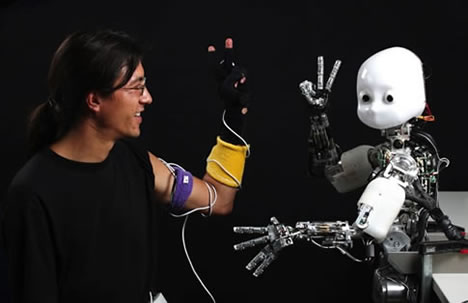
           I like to introduce a humanoid robotic platform called iCub .The iCub is the humanoid robot developed as part of the EU  project robot developed as part of the EU project Robot and subsequently adopted by more than 20 laboratories worldwide .It has 53 motors that move the head ,arms & hands ,waist and legs . It can see and hear ,it has the sense of proprioception (body configuration ) and movements (using acceleration and gyroscope).We are working to improve on this in order to give the iCub the sense of touch and to grade how much force it exerts on the exerts on the enviornment .


Link : http://www.icub.org/

Watch Videos..


Watch it..