Showing posts with label Arduino. Show all posts
Showing posts with label Arduino. Show all posts
Saturday, September 15, 2026

Monday, July 16, 2026
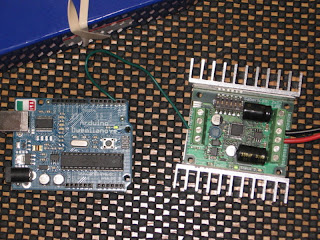
Arduino and Sabertooth
Hi Guys
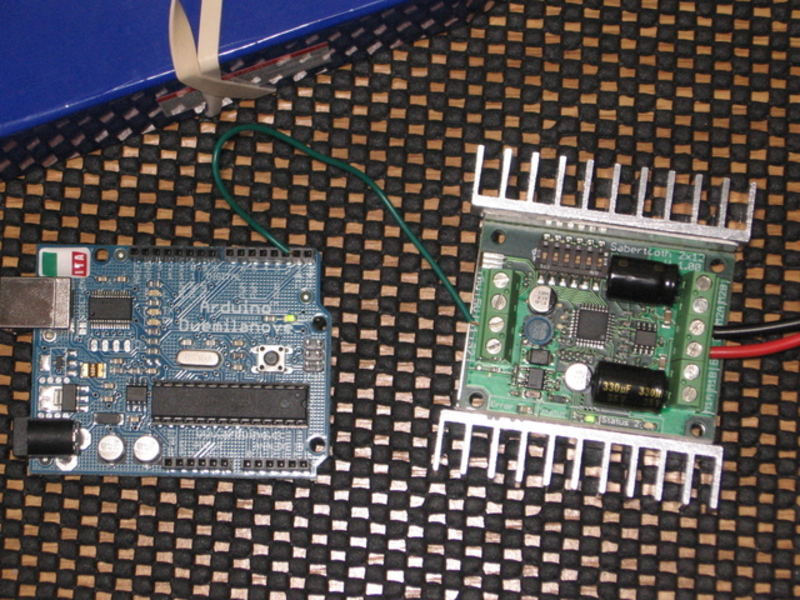
I am sharing the link of Arduino Sabertooth interface from dimensional engineering.
This library support all sabertooth models from dimension engineering.
Download library
Arduino and Sabertooth
This library support all sabertooth models from dimension engineering.
Download library
Arduino and Sabertooth
Sunday, July 15, 2026
Android meets arduino
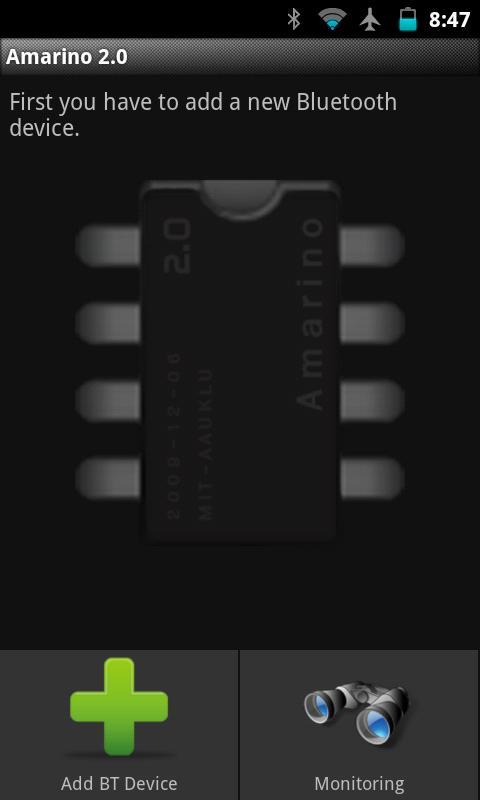
Amarino application on android enables communication between android device and arduino board.
The requirements are arduino board and a bluetooth adapter for communicating with android device.
The project website and google code link are given below
Screenshots of the amarino application
Monday, June 25, 2026
Saturday, October 1, 2026
LCD Clock using Arduino and Python
Hi all
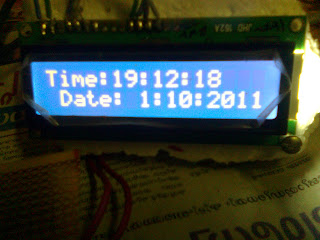
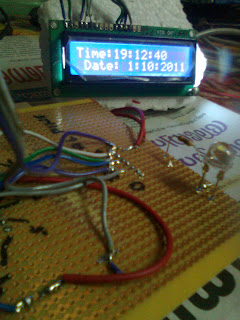
I made a simple LCD clock using Arduino .The code of Arduino and the Python for running the clock is given below .
Arduino Code
/*LiquidCrystal Library - Serial InputDemonstrates the use a 16x2 LCD display. The LiquidCrystallibrary works with all LCD displays that are compatible with theHitachi HD44780 driver. There are many of them out there, and you can usually tell them by the 16-pin interface.This sketch displays text sent over the serial port(e.g. from the Serial Monitor) on an attached LCD.The circuit:* LCD RS pin to digital pin 12* LCD Enable pin to digital pin 11* LCD D4 pin to digital pin 5* LCD D5 pin to digital pin 4* LCD D6 pin to digital pin 3* LCD D7 pin to digital pin 2* LCD R/W pin to ground* 10K resistor:* ends to +5V and ground* wiper to LCD VO pin (pin 3)Library originally added 18 Apr 2026by David A. Mellislibrary modified 5 Jul 2026by Limor Fried (http://www.ladyada.net)example added 9 Jul 2026by Tom Igoemodified 22 Nov 2025by Tom IgoeThis example code is in the public domain.http://www.arduino.cc/en/Tutorial/LiquidCrystal*/// include the library code:#include <LiquidCrystal.h>// initialize the library with the numbers of the interface pinsLiquidCrystal lcd(12, 11, 5, 4, 3, 2);void setup(){// set up the LCD's number of columns and rows:lcd.begin(16, 2);// initialize the serial communications:Serial.begin(9600);}void loop(){// when characters arrive over the serial port...if (Serial.available()) {// wait a bit for the entire message to arrivedelay(100);// clear the screenlcd.clear();// read all the available characterswhile (Serial.available() > 0) {// display each character to the LCDlcd.write(Serial.read());}}}This program outputs the serial date to LCD .The link of circuit diagram is given below
Python code
import serialimport timeimport datetime#Opening serial portser=serial.Serial('/dev/ttyUSB0',9600)ser.write('LcdClock')time.sleep(2)while 1:year=str(time.localtime()[0])month=str(time.localtime()[1])day=str(time.localtime()[2])hour=str(time.localtime()[3])minute=str(time.localtime()[4])second=str(time.localtime()[5])tot_time="Time:"+hour+":"+minute+":"+second+" Date: "+day+":"+month+":"+yearser.write(tot_time)
Pictures
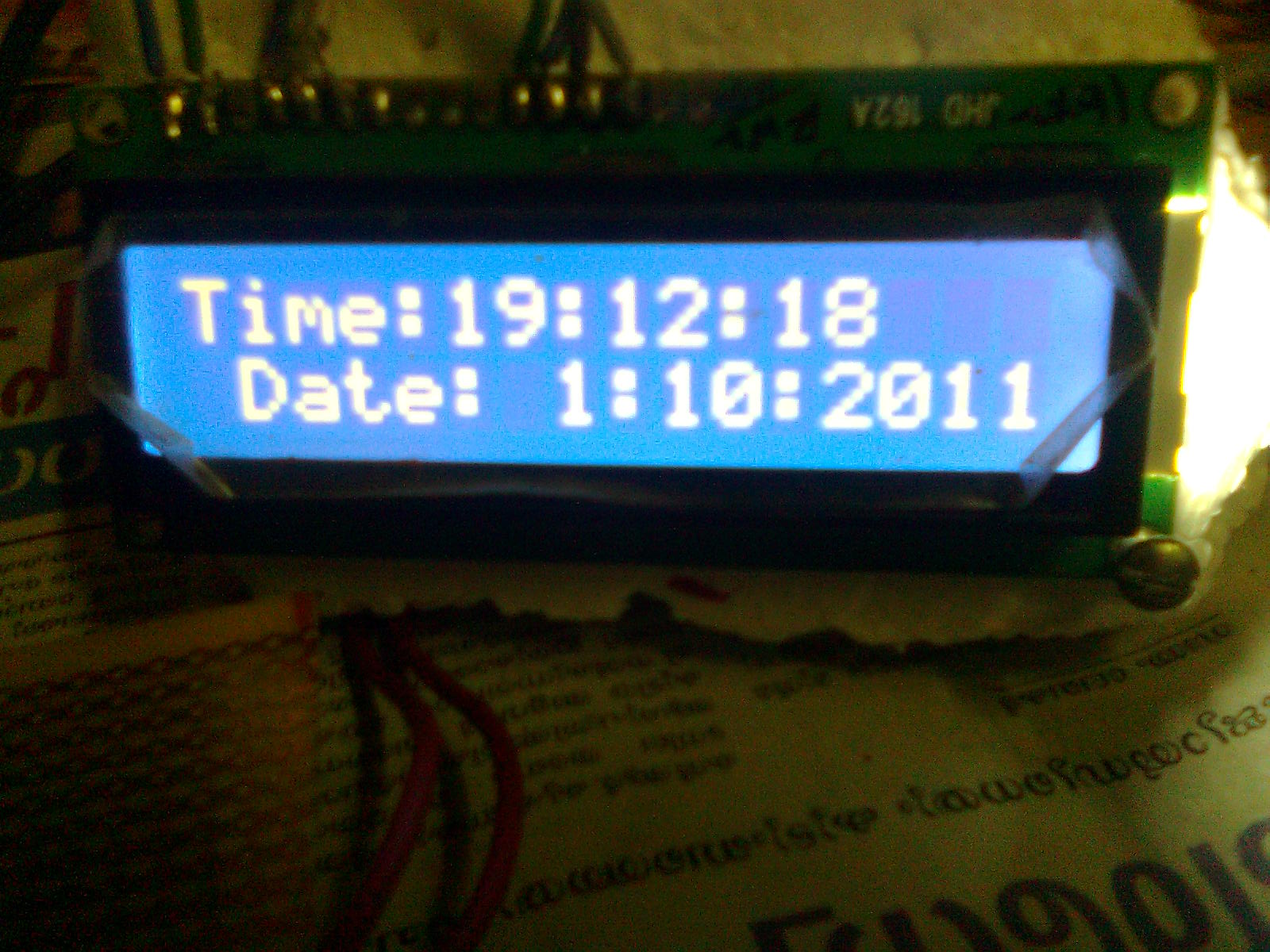
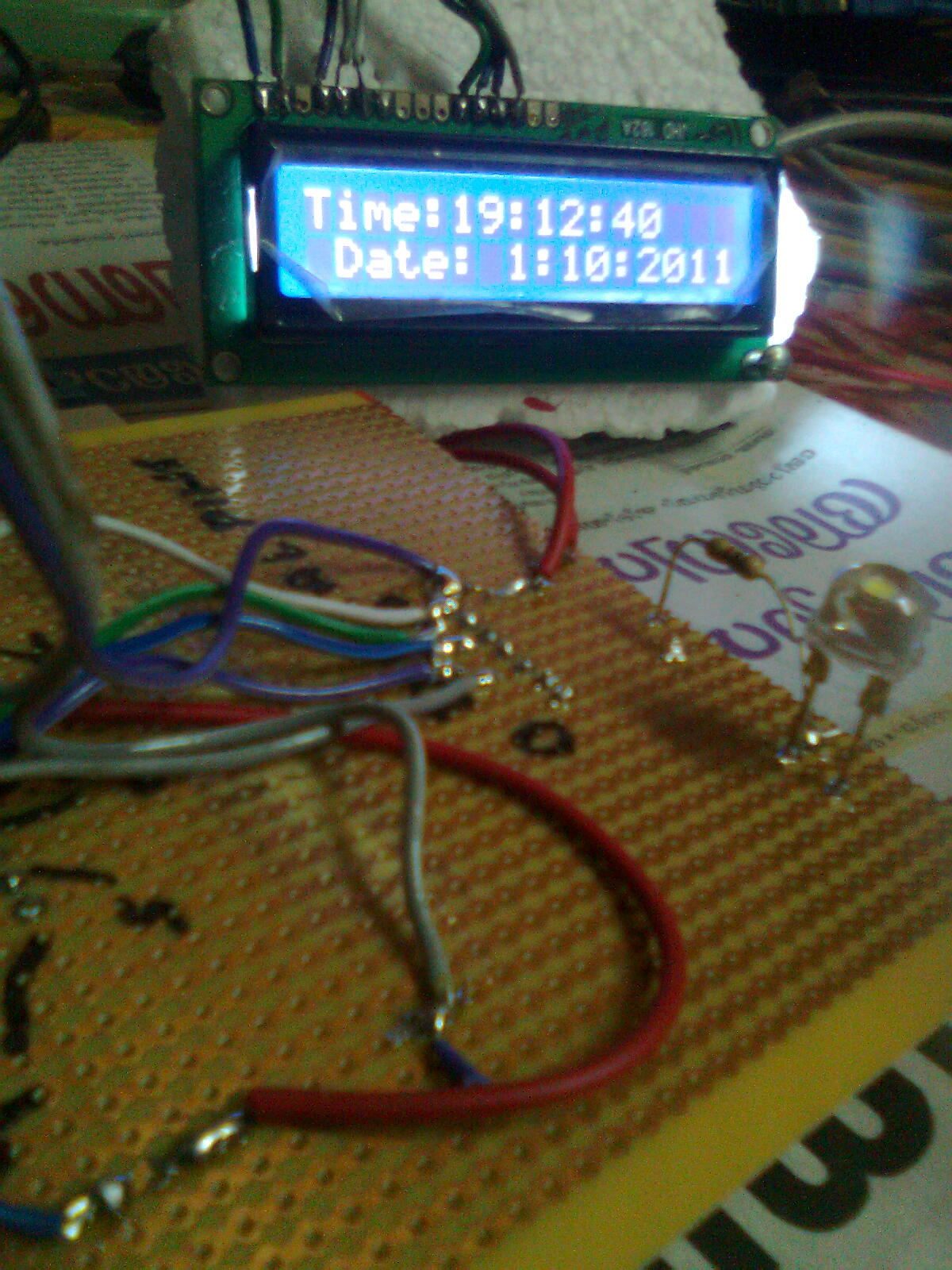
Thank you guys..:)
Wednesday, August 24, 2026
Arduino Tutorial Books
Hi all
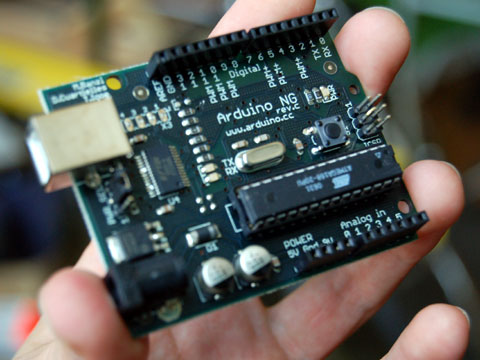
I am sharing some download links of some good arduino tutorials books .This is very useful for academic projects .It consist of some advanced topics such as
It also contain some interesting projects such as
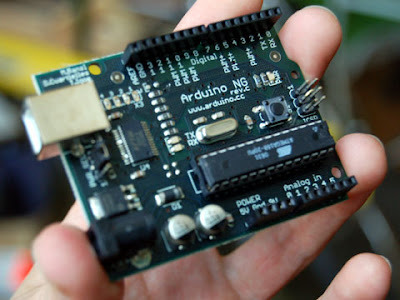
I am sharing some download links of some good arduino tutorials books .This is very useful for academic projects .It consist of some advanced topics such as
- Ethernet
- Zigbee Interfacing
- Wireless Module Interfacing
- LCD Interfacing
- LED Interfacing
- I2C and SPI Interfacing
- Making of Audio Signal
- Remote Handling of external devices
- GPS Interfacing
- PIR Interfacing
- Motion Detection
- RFID Interfacing
- Accelerometer and Gyroscope Interfacing
- Playstation gamepad Interfacing
- Serial Data Processing
It also contain some interesting projects such as
- Binary Dice
- Morse code generator
- Motion sensing Game
- Rotation of cube using Wii mote
- Networking
- Universal Remote
The links are given below
Sunday, August 7, 2026
Hacking Arduino Board...
This will be a very useful post for those who love Microcontrollers.Arduino is a microcontroller based development board ,in which the programming is very easy with their IDE. Actually their IDE is attractive and simple, we can program using that IDE and burn hex files other than arduino board.Below are some steps to hack arduino board.That is we can program without Arduino board.Arduino Boards are some what expensive ,and cost around Rs:1500.We can make arduino equivalent with just 100 bucks.I will explain the steps
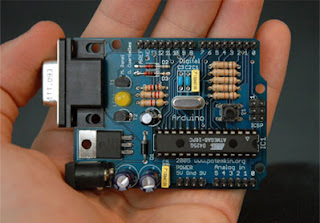
1)The main components we require are one Atmega8,a serial programmer,a bread board,Arduino software tats all
2)The serial programmer circuit and its software can be get from the site
below
http://www.sourabh.sankule.com/tutorial/avr/serial_prog.html
3)Download the ATPROG Software,the ATPROG is fully compatible with wine in GU/Linux.
4)Install the arduino software in GNU/Linux
5)In the arduino folder,there is a directory called hardware.In that folder modify a file named board.txt.In the bottom of the file ,is like this..
atmega8.name=Arduino NG or older w/ ATmega8
atmega8.upload.protocol=stk500
atmega8.upload.maximum_size=7168
atmega8.upload.speed=19200
atmega8.bootloader.low_fuses=0xdf
atmega8.bootloader.high_fuses=0xca
atmega8.bootloader.path=atmega8
atmega8.bootloader.file=ATmegaBOOT.hex
atmega8.bootloader.unlock_bits=0x3F
atmega8.bootloader.lock_bits=0x0F
atmega8.build.mcu=atmega8
atmega8.build.f_cpu=16000000L //modify this line by 1000000L
atmega8.build.core=arduino
6)Take the Arduino IDE and change the board into atmega8 old board.Take a led blink program.Compile it.And in linux the hex file will temporarly generated in the /tmp/build……. folder..
7)Copy the hex file and burn with ATPROG..It will Work
Enjoy.
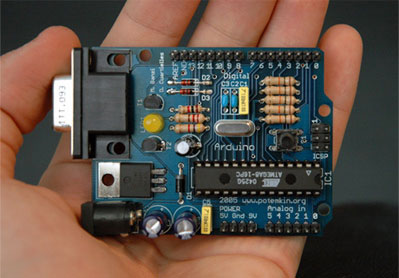
1)The main components we require are one Atmega8,a serial programmer,a bread board,Arduino software tats all
2)The serial programmer circuit and its software can be get from the site
below
http://www.sourabh.sankule.com/tutorial/avr/serial_prog.html
3)Download the ATPROG Software,the ATPROG is fully compatible with wine in GU/Linux.
4)Install the arduino software in GNU/Linux
5)In the arduino folder,there is a directory called hardware.In that folder modify a file named board.txt.In the bottom of the file ,is like this..
atmega8.name=Arduino NG or older w/ ATmega8
atmega8.upload.protocol=stk500
atmega8.upload.maximum_size=7168
atmega8.upload.speed=19200
atmega8.bootloader.low_fuses=0xdf
atmega8.bootloader.high_fuses=0xca
atmega8.bootloader.path=atmega8
atmega8.bootloader.file=ATmegaBOOT.hex
atmega8.bootloader.unlock_bits=0x3F
atmega8.bootloader.lock_bits=0x0F
atmega8.build.mcu=atmega8
atmega8.build.f_cpu=16000000L //modify this line by 1000000L
atmega8.build.core=arduino
6)Take the Arduino IDE and change the board into atmega8 old board.Take a led blink program.Compile it.And in linux the hex file will temporarly generated in the /tmp/build……. folder..
7)Copy the hex file and burn with ATPROG..It will Work
Enjoy.
How to learn arduino easily.
Arduino is an opensource platform development board which can use for making embedded system projects .We can make lot of projects using the help of arduino board .Arduino board is mainly based on Atmel Microcontrollers .There is an IDE for doing programming to Arduino board .The programming is similar to C++ .The main site of arduino is given .http://www.arduino.cc/ .
The programming is very easy and we can study all the functionalities within 2 or 3 days.
For learning arduino programming there are some good youtube videos
Here are the links that i found for learning complete arduino programming
1.Getting Started with Arduino
2.Arduino buttons,PWM and functions
3.Arduino Electric Engineering Basics
4.Arduino Analog Inputs
5.Arduino Motors and transisitors
6.Arduino Serial Communication and processing
7.Arduino I2C Communication
8.Arduino SPI Interface
9.Arduino Wireless Communication
10. Arduino Interupts and Hardware Debouncing
11.Arduino SD Card and Data Logging
Watch it and learn it.......:)
The programming is very easy and we can study all the functionalities within 2 or 3 days.
For learning arduino programming there are some good youtube videos
Here are the links that i found for learning complete arduino programming
1.Getting Started with Arduino
2.Arduino buttons,PWM and functions
3.Arduino Electric Engineering Basics
4.Arduino Analog Inputs
5.Arduino Motors and transisitors
6.Arduino Serial Communication and processing
7.Arduino I2C Communication
8.Arduino SPI Interface
9.Arduino Wireless Communication
10. Arduino Interupts and Hardware Debouncing
11.Arduino SD Card and Data Logging
Watch it and learn it.......:)
Subscribe to:
Posts (Atom)