Subscribe:

Ads 468x60px

Showing posts with label Electronics Projects. Show all posts

Saturday, July 14, 2026

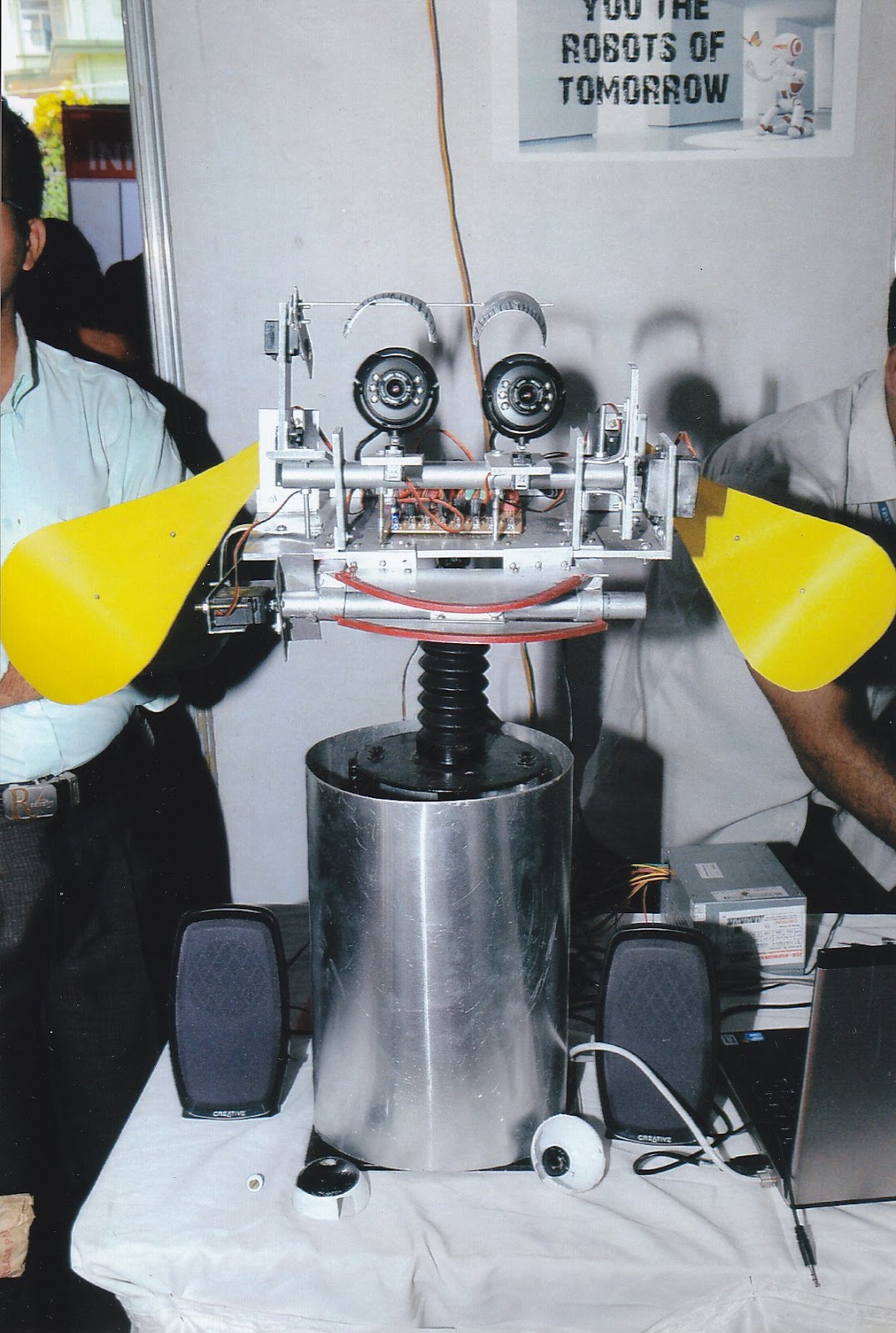
Social Robot: My final year project(Opensource)

 Hi all

   I am publishing my final year B-tech project  called social robot as Opensource project.
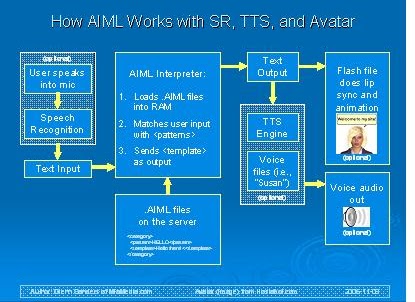
It was an interesting robot which can communicate with people using speech recognition and synthesis  and has vision abilities. The main attraction of this project was the robot intelligence. It was done using Artificial Intelligence Markup Language(AIML).

The speech recognition and synthesis was done in WindowsXP using speech SDK from Windows.

Vision was done using Open Computer Vision library(OpenCV).The main features are

1)Faces,eye,nose detection
2)Motion detection
3)Face and motion tracking
4)Blob detection and color detection
5)Object detection

Speech system  and AIML work in the following fashion


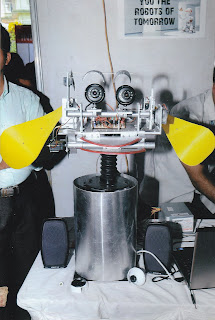
Robot named Robin
-----------------------


Pong gaming Console: My mini project goes OpenSource

Pong game is a very popular video game. I implemented pong game in 8x8 led matrix.
It was my mini project done in the year 2010.

The main features of this game are

1)There are 10 levels  on this game. Speed of the ball will increase in each level.
Ball need to hit 10 times on paddle for entering into next level. There are 3 life for the user. If user finish 10 levels before loosing 3 life ,he will win and display congrats messages.

2)There are two paddles, one is on the top and other is on bottom. Both Paddles are controlling by a joystick.

3)Joystick has 3 keys. One for left move,one for right and one for RESET the game

4)It has an LCD for giving the details of levels and life.

5)It has two atmega-8 controllers. One for LED matrix controlling and one for LCD control.

6)The code is written in embedded c in avr-studio IDE. 

Image:

Wednesday, August 24, 2026

Arduino Tutorial Books

Hi all

            I am sharing some download links of some good arduino tutorials books .This is very useful for academic projects  .It consist of some advanced topics such as


  • Ethernet 
  • Zigbee Interfacing 
  • Wireless Module Interfacing 
  • LCD Interfacing
  • LED Interfacing
  • I2C  and SPI Interfacing
  • Making of Audio Signal 
  • Remote Handling of external devices
  • GPS Interfacing
  • PIR Interfacing
  • Motion Detection
  • RFID Interfacing
  • Accelerometer and Gyroscope Interfacing
  • Playstation gamepad Interfacing
  • Serial Data Processing

It also contain some interesting projects such as

  • Binary Dice
  • Morse code generator
  • Motion sensing Game
  • Rotation of cube using Wii mote
  • Networking
  • Universal Remote

The links are given below


Monday, August 8, 2026

Artificial Intelligence using Python

Hi all

              I like to share some methods to implement  Artificial Intelligence .This is the method i used in my project called  "Social Robot" . I used Python Programming language for implementing Artificial Intelligence . I will list out the steps ..


                       PyAIML is the module for handling AI, AIML stands for Artificial Intelligence Markup Language .
1)Download and Install Python 2.6 or 2.5

2)Download a python module called PyAIML . The link for download is given below
                           
                                                http://pyaiml.sourceforge.net/


3)We can install the python module by entering a command in terminal .
    sudo python setup.py install


Note that the terminal path is the path of module folder

4)Now the PyAIML installation is over .

5)Now we need some .aiml files for loading ..I used alice chatter bot files, which can be downloaded from the following link

                                 http://www.alicebot.org/downloads/sets.html

6)After downloading the aiml files, we can connect it into python using following tutorial link given below

                                       http://pyaiml.sourceforge.net/

7)You are Done

It can be used for some interesting projects like chatter robot ...

Sunday, August 7, 2026

How to install OpenCV in Linux & Windows

Hi all

                 Open CV stands for Open Computer Vision .Its a great library for doing image processing stuffs. OpenCV can be uesd for many academic projects . Here i just mentioning how we can install OpenCV in Linux and Windows

In Linux(Ubuntu 10.04):


1)Download the latest OpenCV package from sourceforge .The link is provided below

http://sourceforge.net/projects/opencvlibrary/


2)Extract the tar file to some path for eg::home folder .

3)Take the extracted folder and make a folder called release 


4)Take the folder release and open a terminal in that folder path .

5)Type the following command in the terminal


 cmake -D CMAKE_BUILD_TYPE=RELEASE -D CMAKE_INSTALL_PREFIX=/usr/local -D BUILD_PYTHON_SUPPORT=ON ..          


6)After executing we get a make file.Just type make command in the same terminal.

7)It takes some time to make ,after make type sudo make install and give the password

8)Done...Enjoy


In Windows
1)For windows ,some video tutorial is available in youtube .Here are the links


Try it.........

Hacking Arduino Board...

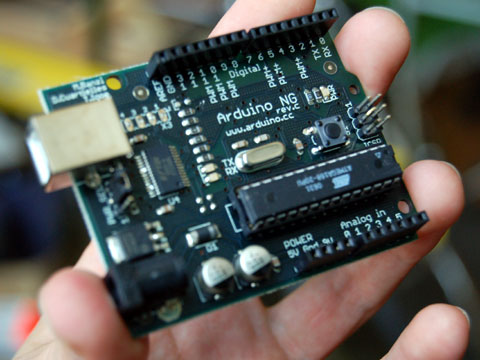
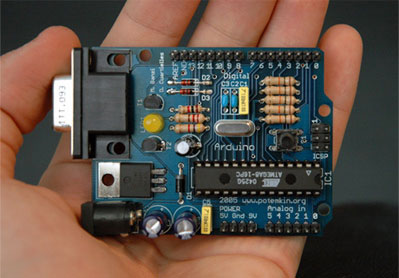
                  This will be a very useful post for those who love Microcontrollers.Arduino is a microcontroller based development board ,in which the programming is very easy with their IDE. Actually their IDE is attractive and simple, we can program using that IDE and burn hex files other than arduino board.Below are some steps to hack arduino board.That is we can program without Arduino board.Arduino Boards are some what expensive ,and cost around Rs:1500.We can make arduino equivalent with just 100 bucks.I will explain the steps


1)The main components we require are one Atmega8,a serial programmer,a bread board,Arduino software tats all
2)The serial programmer circuit and its software can be get from the site
below

http://www.sourabh.sankule.com/tutorial/avr/serial_prog.html
3)Download the ATPROG Software,the ATPROG is fully compatible with wine in GU/Linux.
4)Install the arduino software in GNU/Linux
5)In the arduino folder,there is a directory called hardware.In that folder modify a file named board.txt.In the bottom of the file ,is like this..
atmega8.name=Arduino NG or older w/ ATmega8
atmega8.upload.protocol=stk500
atmega8.upload.maximum_size=7168
atmega8.upload.speed=19200

atmega8.bootloader.low_fuses=0xdf
atmega8.bootloader.high_fuses=0xca
atmega8.bootloader.path=atmega8
atmega8.bootloader.file=ATmegaBOOT.hex
atmega8.bootloader.unlock_bits=0x3F
atmega8.bootloader.lock_bits=0x0F

atmega8.build.mcu=atmega8
atmega8.build.f_cpu=16000000L //modify this line by 1000000L
atmega8.build.core=arduino

6)Take the Arduino IDE and change the board into atmega8 old board.Take a led blink program.Compile it.And in linux the hex file will temporarly generated in the /tmp/build……. folder..
7)Copy the hex file and burn with ATPROG..It will Work
Enjoy.


Arduino and Python

          Arduino and Python are the best combination for making projects. Data from arduino can recieve serially from arduino to python .For receiving serial data .there is a module called pyserial in python .It is very easy to handle with pyserial module.


Reading from Arduino

>>> import serial
>>> ser = serial.Serial('/dev/tty.usbserial', 9600)
>>> while 1:
...             ser.readline()
Writing data to Arduino is easy too:

>>> import serial
>>> ser = serial.Serial('/dev/tty.usbserial', 9600)
>>> ser.write('data')

I am giving some links related to pyserial and arduino


ECE projects topics...

Hi all
          I like to share some project ideas for EC stream .It may be useful for students who didnt get the topic yet...


For ECE students..

Robotics Related...


1.Gold Finding Robot Gold is an inert metal and cant detect easily from ground . I am attaching a video from youtube,which has the gold detetction using some metal detectors .Actually we cant find gold using ordinary metal detectors .We have to tune the oscillator frequency of metal detector. If we make a robot for automating the task for finding gold ,we can increase the rate of  finding  gold deposit. We can track the coordintates of the robot using a GPS mechanism .The main componets of  robot is a rover and a metal detector .The cost will be less than 15k.      


2.Walker Robot:Walker Robot is an interesting kind of robot which walks like a four legged animal . The walker has many applications .We can attach camera and GPS for navigation purpose .I am attaching a video of simple walker robot .


3.Servent Robots:Servent robots are robots mainly for serving purposes .It contain a 4 wheel structure which carries some food .It will  unload food in the correct destination .It will be a challenging projects 
4.Robotic Arms:Robotics arms can be design for various purpose .Making an arm like human arm is really a good task .Its somewat tough,but if it implemented ,its a great thing..

These are some projects in my mind .I will keep on updating my blog with more ideas..

How to learn arduino easily.

Arduino is an opensource platform development board which can use for making  embedded system projects .We can make lot of  projects using the help of arduino board .Arduino board is mainly based on Atmel Microcontrollers .There is an IDE for doing programming to Arduino board .The programming is similar to C++  .The main site of arduino is given .http://www.arduino.cc/ .
                       The programming is very easy and we can study all the functionalities within 2 or 3 days.

For learning arduino programming there are some good youtube videos
Here are the links that i found for learning complete arduino programming

1.Getting Started with Arduino


2.Arduino buttons,PWM and functions


3.Arduino Electric Engineering Basics


4.Arduino Analog Inputs

   
5.Arduino Motors and transisitors


6.Arduino Serial Communication and processing


7.Arduino I2C Communication


8.Arduino SPI Interface


9.Arduino Wireless Communication


10. Arduino Interupts and Hardware Debouncing


11.Arduino SD Card and Data Logging


Watch it and learn it.......:)