Subscribe:

Ads 468x60px

Showing posts with label OpenCV. Show all posts

Sunday, May 26, 2026

Eye blink detection using OpenCV in Ubuntu

Hi all

This is a simple project that i did recently. The purpose of this project is to detect the blinking of eyes. The application of this project is to detect whether the driver inside the car is sleeping or not.

Using this program, we can detect the eyes of the user and can track their eyes.  Using template matching technique, we will check whether the eyes are closed or not .. If the eyes are closed, it will print a message in terminal also execute a python script to pass control the event into external devices such as arduino or anyother boards

 Opencv code :blink_detection.cpp


Code Download


Sunday, March 3, 2026

How to easily install OpenCV on Raspberry Pi

Hi all

      Building opencv source code in Raspberry Pi will take about 6-7 hours.
Here is the link to install opencv from source

Easy method to install opencv

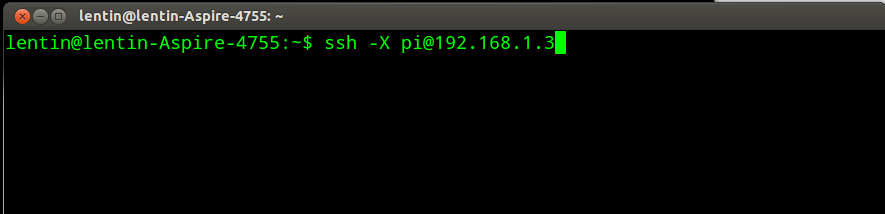
1)Connect to Raspberry Pi using ssh. Fig shows an example of connecting Rpi using ssh


Wednesday, August 29, 2026

Setting OpenCV on eclipse working on Ubuntu 12.04

Hi all 

     I am giving instruction for setting opencv on eclipse IDE. I am using Eclipse INDIGO .

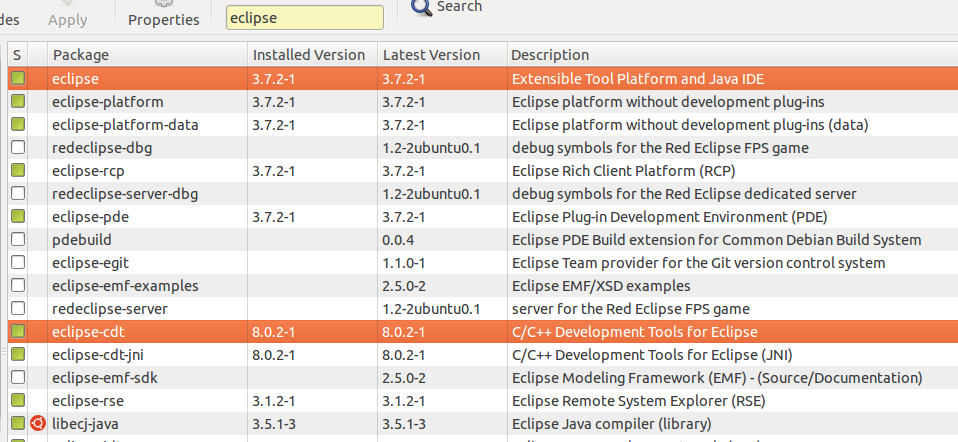
1)Install Eclipse and eclipse CDT plugin from synaptic package manager


Sunday, August 5, 2026

How to convert RGB to HSV using OpenCV

Hey 

 I am sharing a simple program  which convert RGB image into HSV color space. I am handling cv::Mat instead of IplImage.

hsv.cpp

  /// HSV Conversion  
 #include "opencv2/highgui/highgui.hpp"   
 #include "opencv/cv.h"  
 #include <iostream>   
 #include <stdio.h>   
 using namespace std;   
 using namespace cv;   
  int main(int argc,   
   char *argv[]   
  )   
  {   
  /// input and hsv image variable  
  cv::Mat input,hsv;  
  input =imread(argv[1],1);  
  ///hsv conversion  
  cvtColor(input,hsv,CV_RGB2HSV);  
 ///displaying hsv and input  
  cv::imshow("hsv",hsv);  
  cv::imshow("input",input);  
  waitKey();   
  return 0;   
  }   


Setting cvbloblib in Visual studio 2010

Hey guys

           I am giving tutorials for setting cvbloblib in Microsoft Visual studio 2010

*Download cvblobllib from willogarage website

http://opencv.willowgarage.com/wiki/cvBlobsLib/

Setting OpenCV in Visual studio2010

Download cvbloblib for linux(Note:Windows version not working for me)

Extract all files to project folder


How to set cvbloblib in Ubuntu 12.04

Hey guys

        I am giving the instruction for setting cvbloblib from OpenCV in Ubuntu 12.04


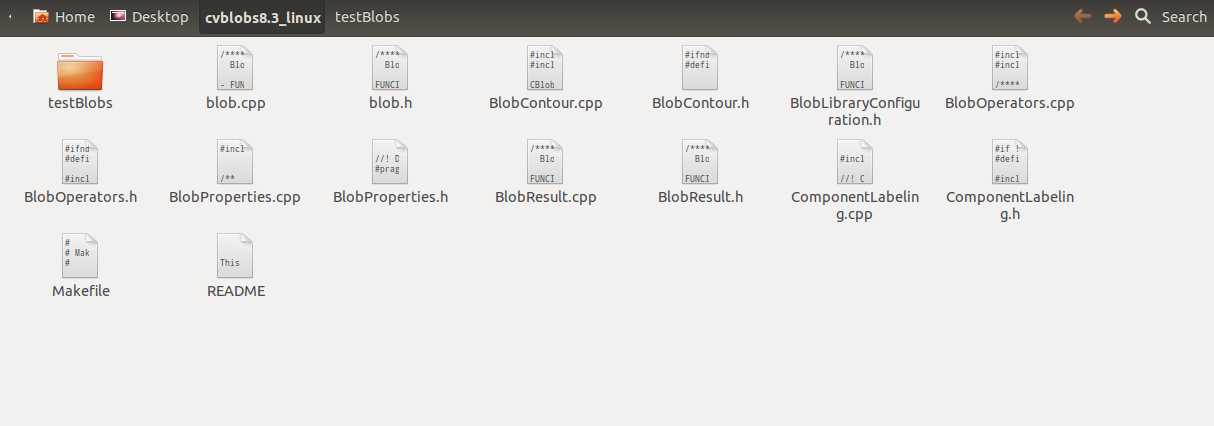
*Extract into some folder say desktop


Saturday, August 4, 2026

How to convert opencv IplImage to cv::Mat and cv::Mat to IplImage

Hey guys

     This is a tutorial for converting OpenCV image handlers 

*IplImage to cv::Mat
*cv::Mat to IplImage

IplImage to cv::Mat example program

Ipltomat.cpp

 ///Opencv 2.4.2   
 #include "opencv2/highgui/highgui.hpp"  
 #include <iostream>  
 #include <stdio.h>  
 using namespace std;  
 using namespace cv;  
 int main(int argc,  
    char *argv[]  
  )  
 {  
 ///Loading image to IplImage  
 IplImage *img=cvLoadImage(argv[1]);  
 cvShowImage("Ipl",img);  
 ///converting IplImage to cv::Mat  
 Mat image=cvarrToMat(img);  
 imshow("Mat",image);  
 waitKey();  
 return 0;  
 }  


Saturday, July 28, 2026

Solved::cxtype.h not found in OpenCV

Hi Guys


  After OpenCV 2.3 version ,header file cxtype.h changed into cxcore.h. In latest version cxcore.h is in opencv\cxcore.h path .

Friday, July 27, 2026

How to do OpenCV haar-training in Windows 7

Hi guys

      I am giving the procedure for doing opencv haar training in Windows 7


2)Building Object marker utility program. I am giving the code for object marker utility. The purpose of this utility is to mark the object to be trained. If we want to train a bottle in an image, just mark the area of bottle using this utility

Basic functions of this utility

1)Press left button and mark the object
2)After marking press double click
3)Press "SPACE" for recording the area of object
4)Press "ENTER" for next image

//Code of Object marker utility


Saturday, July 21, 2026

Camera calibration using OpenCV

Hi Guys

      I am giving the procedures for camera calibration using OpenCV

What is camera calibration

Camera resectioning is the process of finding the true parameters of the camera that produced a given photograph or video. Usually, the camera parameters are represented in a 3 × 4 matrix called the camera matrix.
This process is often called camera calibration, but "camera calibration" can also mean photometric camera calibration.

For more details refer Wiki Link

Camera calibration using OpenCV

1)Install and configure OpenCV in Visual studio 2008 .The tutorials are available in following link


2)Camera calibration program download from here


Tuesday, July 17, 2026

Basic Concepts of Digital Image Processing

Hi Everyone

        I like to share some basic concepts of Image processing. It is absolutely for beginers but also useful for experts for refreshing the basics again. I got most of the information  from Wikipedia. Lets start my tutorials

What is Image Processing

  Image processing is a form of signal processing, in which the input  will be an image. Image can  be  photograph or video or a live stream data from video camera . The output can be  an image or some parameters related to the input image

Most of the image processing technique treated images as a 2D signals and  apply standard signal processing into it.

Image processing can be digital or analog. We are mainly looking on digital image processing. 


Wednesday, July 11, 2026

cvBlob in Windows7 using VisualStudio2010

Hi all
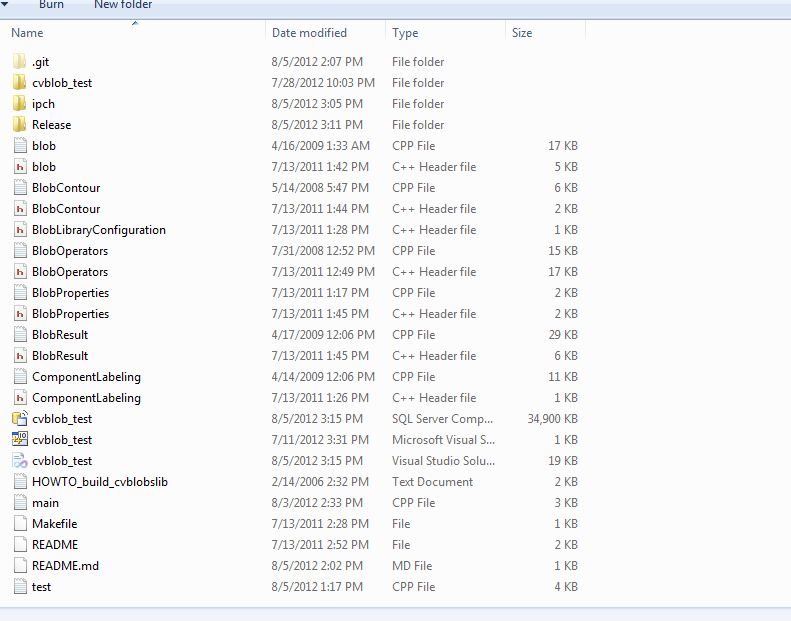
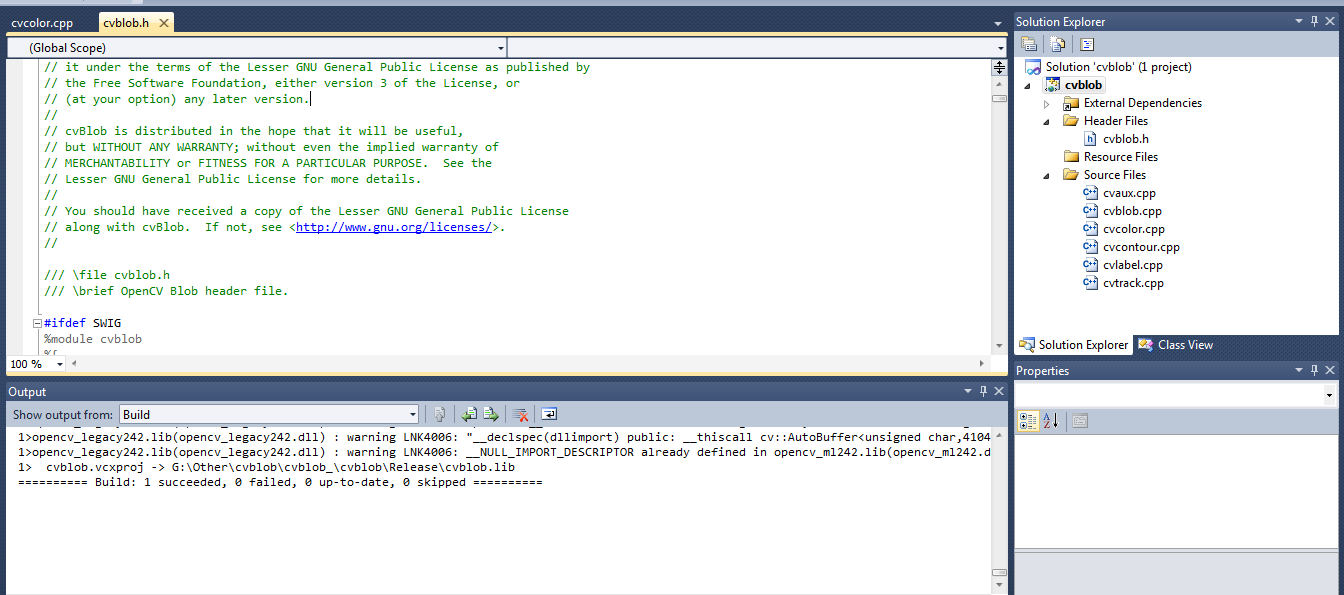
  I ported cvblob lib to Windows 7 using VS2010. This lib will work well  in Linux, but there are some issues on Windows. I tried some fixes and corrected it
I used OpenCV 2.4.2,
 VS2010,
Windows 7


I am giving the screenshots below.


Setup  cvlib.lib

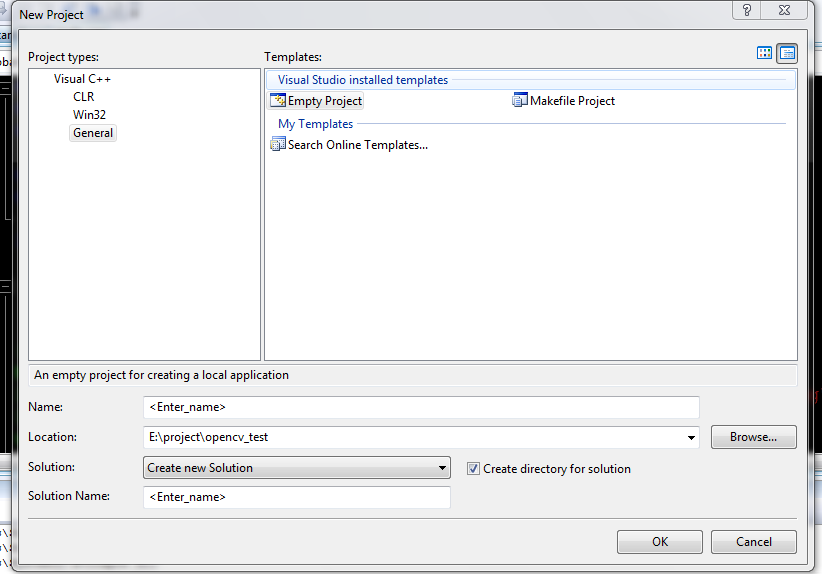
1)Setting an empty project. 

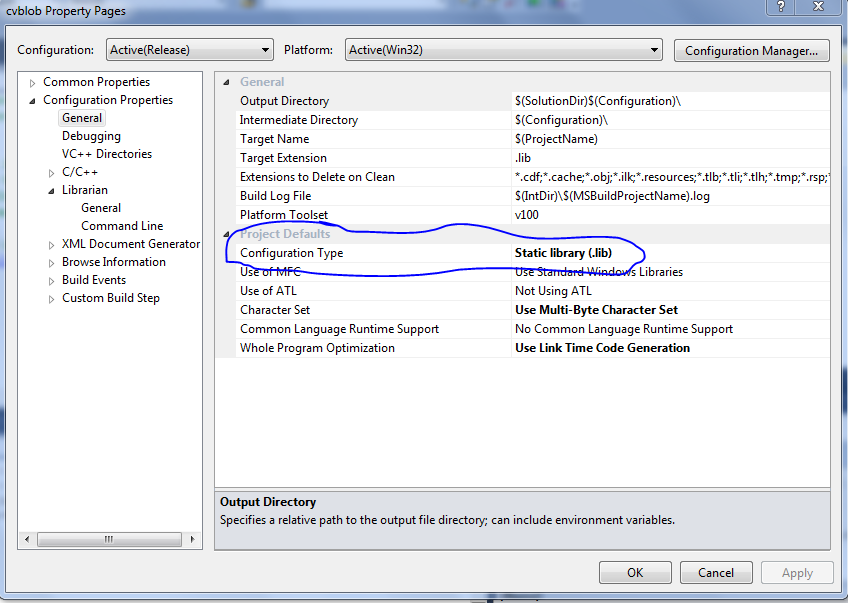
2)Configuration Type to Static library(.lib)


Thursday, April 26, 2026

OpenSURF Computer Vision Library

Hi all


       Recently i get to know about a new lib written using OpenCV library for feature extraction .
The name of this library is OpenSURF .OpenSURF is a clean ,unintrusive SURF feature extraction library written in C++ with OpenCV 


Check this links for more details


Saturday, April 14, 2026

OpenCV and Mouse

Hi all 

      A simple program to show the  interaction with mouse using OpenCV


//code---------------------------------------------


#include "cv.h"
#include "highgui.h"

#include <iostream>

#include <stdio.h>
#include <stdlib.h>


IplImage* capture;

CvPoint pt1;
CvFont font;
void on_mouse(int event,int x ,int y,int flags,void* param)
{


std::cout<<"X="<<"\t"<<x<<"\t"<<"Y="<<"\t"<<y<<std::endl;
}


int main(int argc,
char** argv
)

{

 
cvInitFont(&font, CV_FONT_HERSHEY_SIMPLEX, 1.0, 1.0, 0, 1, CV_AA);

    capture = cvLoadImage(argv[1], 1);
    cvNamedWindow( "result", 1 );
    cvShowImage( "result",capture );
    //Mouse call back funtion

    cvSetMouseCallback("result",on_mouse,0);

    cvWaitKey(0);
    cvReleaseImage( &capture );
    cvDestroyWindow("result");


}


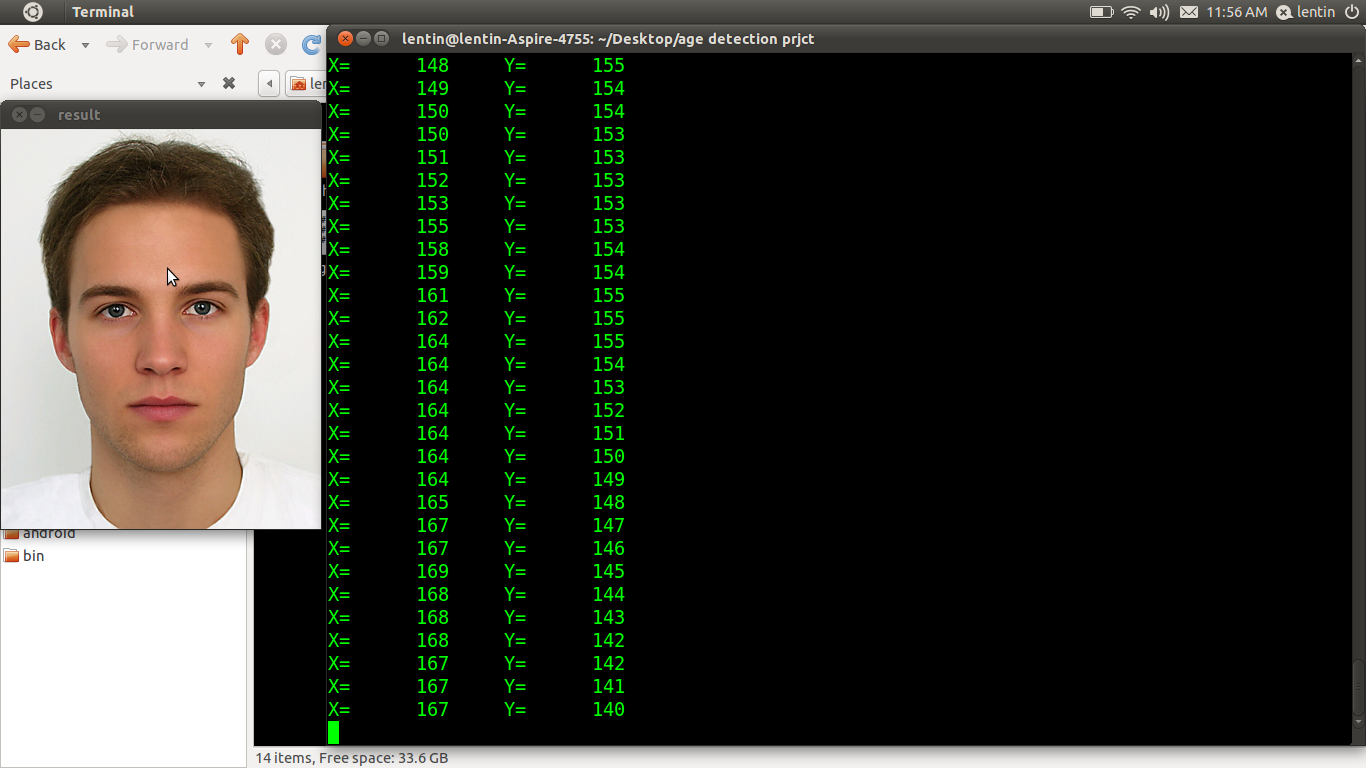
Output


Tuesday, April 10, 2026

Setting OpenCV 2.3.1 on VS2008 and 2010

Hi all

       This is a simple tutorial for setting Opencv 2.3.1 library on Windows 7 .

Procedure :
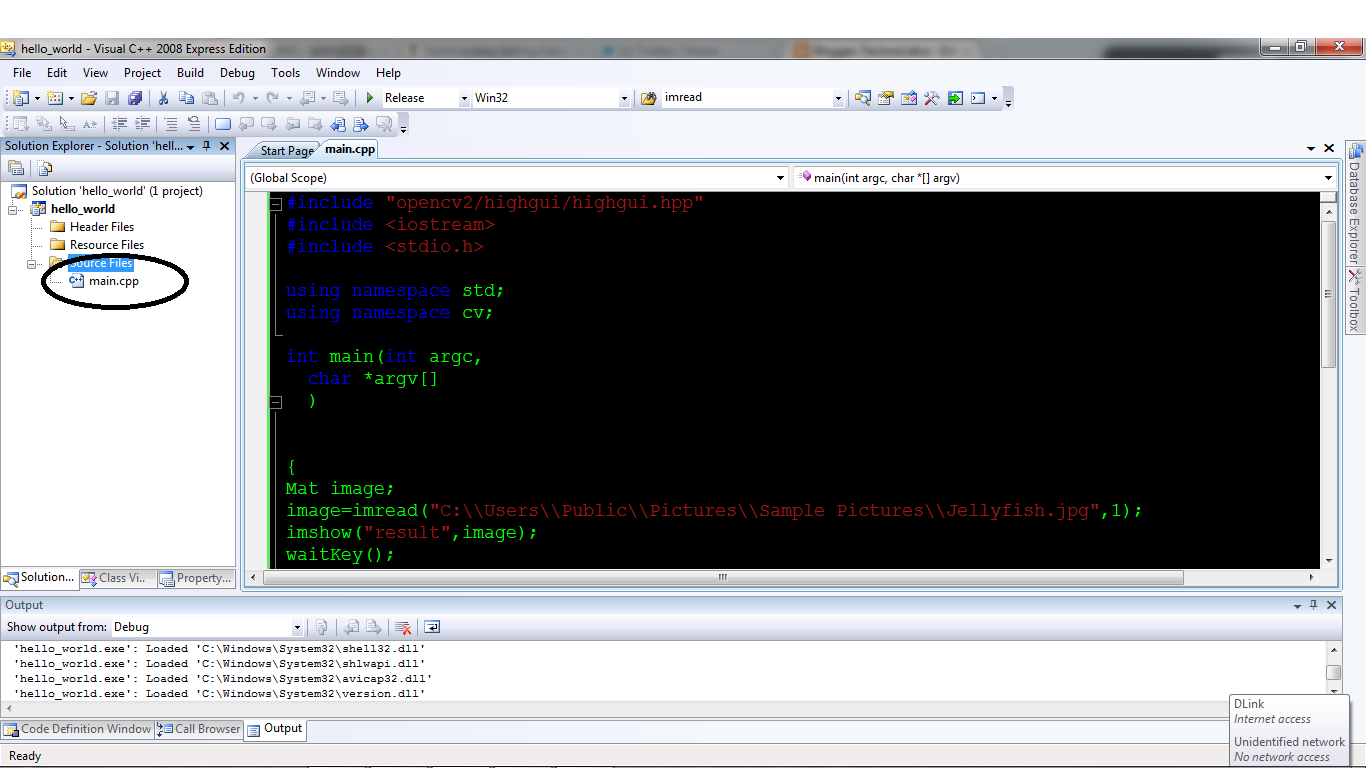
  • Download Visual c++  2008 Express Edition through web-install 

  • Install Opencv 2.3.1 into C:\ProgramFiles
  • OpenVisual c++ and create an empty project .

  • Add a cpp file for Coding :
  • Right click on Sourcefile->Add->Newitem .Select .cpp and give a name to cpp file

  • Setup Include Dir and Link folders as per screenshots

Thursday, March 29, 2026

OpenCV Face+Nose+Mouth+Eye concurrent detection

Hi all

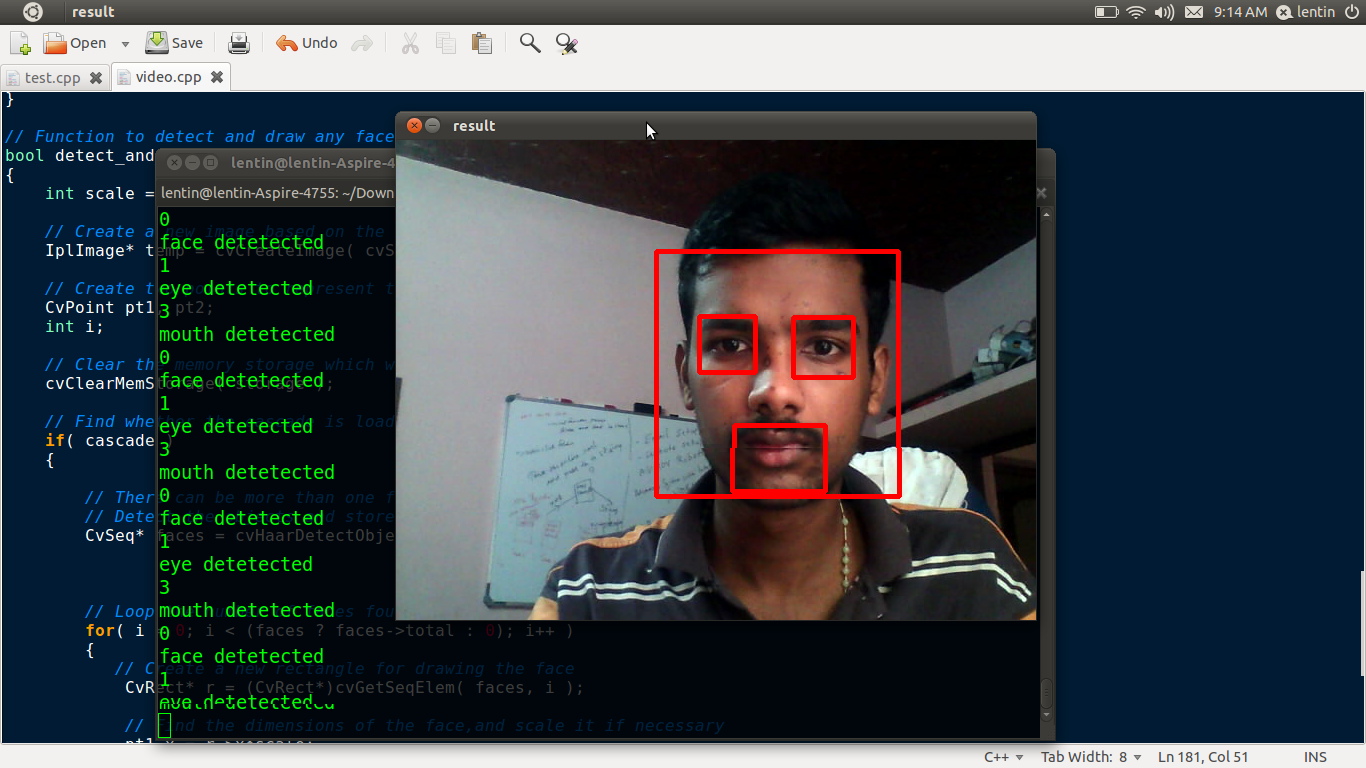
     This is a hobby code adapted from Opencv facedetection.cpp .It can detect more haar files now .You can add more xml according to your requirement .

I am giving the link for the source code


Some snapshots and video


Monday, March 26, 2026

Face Tracking on ROS Electric using Pi_face_tracker and gencam_cu

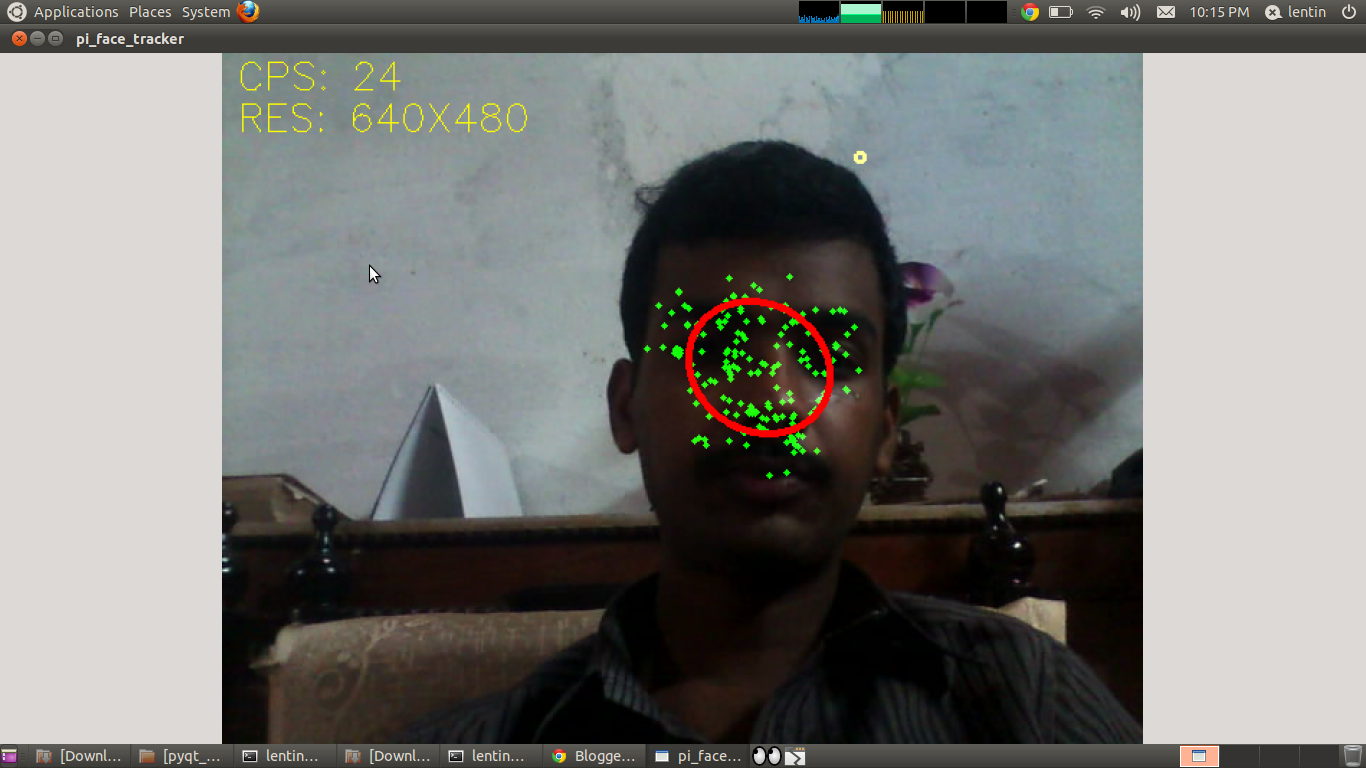
Here is a tutorial for running face detection on ROS using pi_face tracker and gencam_cu

Pi_face tracker will work on Kinect and uvc_cam based webcams .Some webcams and laptop integrated cams have some issues while using uvc_cam .There is another package on ROS site called gencam_cu for webcams .Its working on OpenCV library .
Here is the link for gencam_cu


Pi_face tracker package is available in following link


First you need to download and install gencam_cu first .
Before installing pi_face_tracker we need to change some parameters in pi_face_tracker launch file .
The launch file is called face_tracker_uvc_cam.launch 

Replace the line  

    <remap from="input_rgb_image" to="/camera/image_raw" /> into 

    <remap from="input_rgb_image" to="/image_raw" /> 

It looks like this 

<launch>
  <arg name="auto_face_tracking" default="True" />

  <node pkg="pi_face_tracker" name="pi_face_tracker" type="face_tracker.py" out$
    <remap from="input_rgb_image" to="/image_raw" />
    <remap from="output_image" to="/pi_face_tracker/image" />

It is a patch ,because gencam_cu publishs images on /image_raw topic ,but uvc_cam publishes on /camera/image_raw

Install pi_face_tracker 

eg_cmd : rosmake --rosdep-install 

Run roscore

Run gencam_cu by following command

rosrun gencam_cu gencam_cu

Launch pi_face_tracker

roslaunch pi_face_tracker face_tracker_uvc_cam.launch

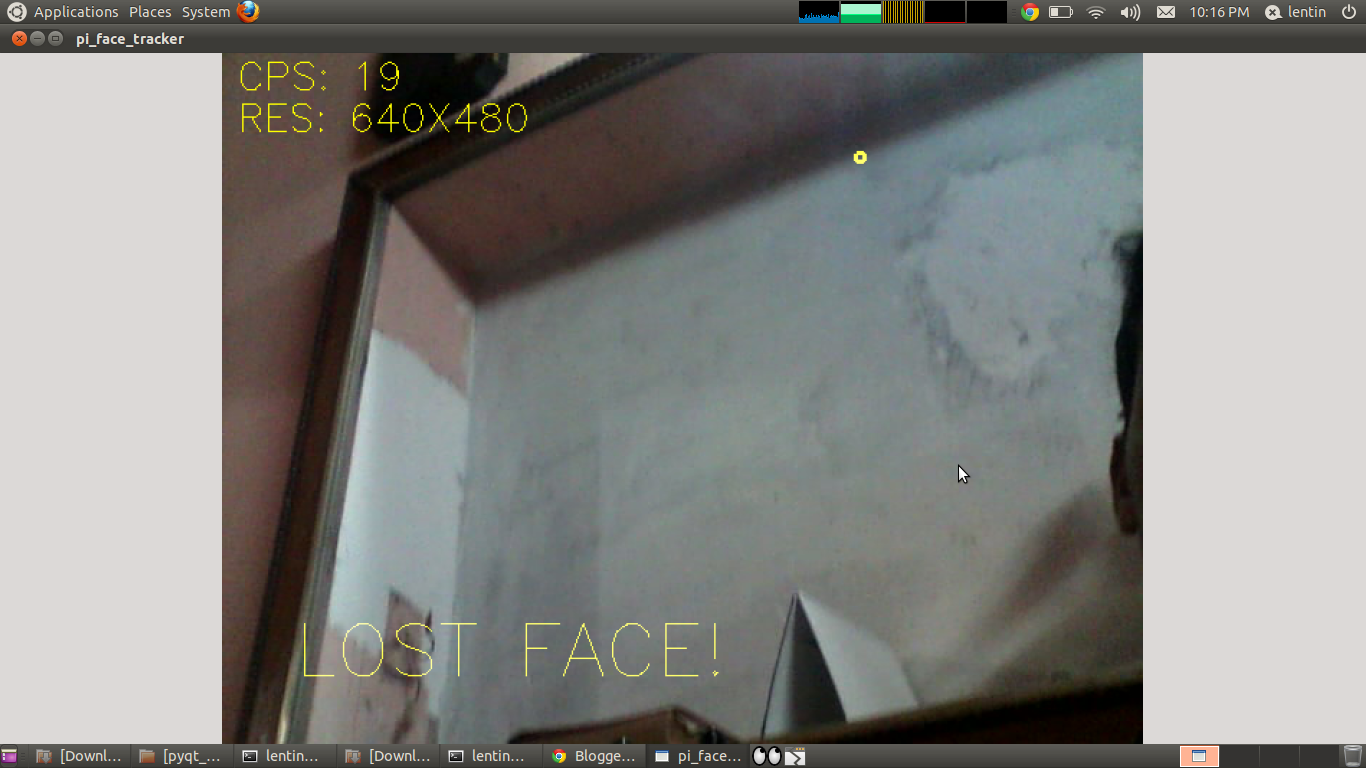
Output Image


Sunday, March 25, 2026

OpenCV 2.3.1 tbb.dll missing : solution

Hi 

        When i compiled opencv code using  OpenCV 2.3.1 on Windows 7  i got a run time error called 
"tbb.dll not found "

This is the fix for this issue
1)Download the tbb file for windows


2)Set Env_variable  

Add Path in the System Variables

H:\Others\OpenCV-2.3.1\release\tbb30_20110427oss\bin\ia32\vc9  

For example ,Put tbb files on release folder  .This example settings is for VS9 and intel 32 bit


Monday, February 27, 2026

RoboRealm :A power ful tool for image processing


RoboRealm  is an application for use in computer vision, image analysis, and robotic vision systems. Using an easy point and click interface RoboRealm simplifies vision programming! Using an inexpensive USB webcam and the PC you already have you can now add machine vision to your robotic projects!

Image and/or video processing can be technically difficult. Home robots are continuously moving towards PC based systems (laptop, netbook, embedded, etc.) that have the power to support complex image processing functions. RoboRealm provides the software needed to get such a system up and running. We've compiled many image processing functions into an easy to use windows based application that you can use with a webcam, TV Tuner, IP Camera, etc. Use RoboRealm to see your robot's environment, process the acquired image, analyze what needs to be done and send the needed signals to your robot's motors, servos, etc.


Check the following link for more info


Saturday, October 8, 2026

Mouse Controlling in Linux using Laser

Hi all

         Here is a code running on Ubuntu Linux which move the mouse cursor using laser point .The main library used for this code is XLib and Open CV.


Code


#define SPACE XK_A        

#include<stdio.h>
#include<highgui.h>              
#include <X11/Xlib.h>            
#include <X11/keysym.h> 
#include<string.h>
#include<math.h>

XKeyEvent createKeyEvent(Display *display, Window &win, Window &winRoot, bool press, int keycode, int modifiers)
{
   XKeyEvent event;
   event.display     = display;
   event.window      = win;
   event.root        = winRoot;
   event.subwindow   = None;
   event.time        = CurrentTime;
   event.x           = 1;
   event.y           = 1;
   event.x_root      = 1;
   event.y_root      = 1; 
   event.same_screen = True;
   event.keycode     = XKeysymToKeycode(display, keycode);
    event.state       = modifiers;
   
   return event;
}

main()
{
CvCapture* VideoBuffer = cvCaptureFromCAM(CV_CAP_ANY);

uchar *Data;
int revert,Step,noPointerInterval = 0,i,j,k,XCordSum = 0,YCordSum = 0;
int RedPixelCount = 0,hold=0,noPointerFlag=0,blinkInterval=0,Width,Height;
  Display *display = XOpenDisplay(0);                           
  XKeyEvent event;                                       
  Window winRoot;                                        
  winRoot = XDefaultRootWindow(display);
      
  Window winFocus;                                       
  char num;
  
  
  if(!VideoBuffer)    
    {
      printf("NO CAM FOUND!!!\n");
      exit(0);
    }
  while(1)
    {
     RedPixelCount=0;  
     XCordSum=0;
     YCordSum=0;
     IplImage* Frame=cvQueryFrame(VideoBuffer);

     Height=Frame->height;
     Width=Frame->width;
     Step=Frame->widthStep;
     Data=(uchar *)Frame->imageData;
     

     for(i=0;i<Height;i++)
         
             for(j=0;j<Width;j++)
             {
                         if((2*Data[i*Step+j*3+2]-Data[i*Step+j*3+1]-Data[i*Step+j*3]>130))   
                         
                    {
                          XCordSum+=j;
                          YCordSum+=i;
                          RedPixelCount++;
                     }
           }
          
     if(RedPixelCount)
       {

                XWarpPointer(display, None, winRoot, 0, 0, 0, 0,(XCordSum/RedPixelCount)*2,(YCordSum/RedPixelCount)*2);

                XGetInputFocus(display, &winFocus, &revert);


           if(noPointerInterval<=10 && noPointerFlag!=0)
           {
                 if(blinkInterval<5)

                   {

                         blinkInterval=5;
                   }
                 else
                 {
                                XGetInputFocus(display,        &winFocus, &revert);
                 event   =   createKeyEvent(display,   winFocus,   winRoot, true, SPACE, 0);
                 XSendEvent(event.display,   event.window,   True, KeyPressMask, (XEvent *)&event);  
                 event   =   createKeyEvent(display,   winFocus,   winRoot, false, SPACE, 0);
                 XSendEvent(event.display,   event.window,   True, KeyPressMask, (XEvent *)&event);

                 blinkInterval=0;
              }
                 noPointerFlag=0;

                 fflush(stdout);
           }
           blinkInterval++;

           hold=0;
           noPointerInterval=0;
     }
    
           if(noPointerInterval>10 && hold==0)
           {
                  printf("\nNO pointer.");
                  fflush(stdout);
                  hold=1;

           }
           noPointerFlag=1;
     
   }
    
cvReleaseCapture(&VideoBuffer);

return(0);
}


Compiling Command


g++ `pkg-config opencv --cflags --libs` filename.cpp -o outputname


Execution

$./outputname